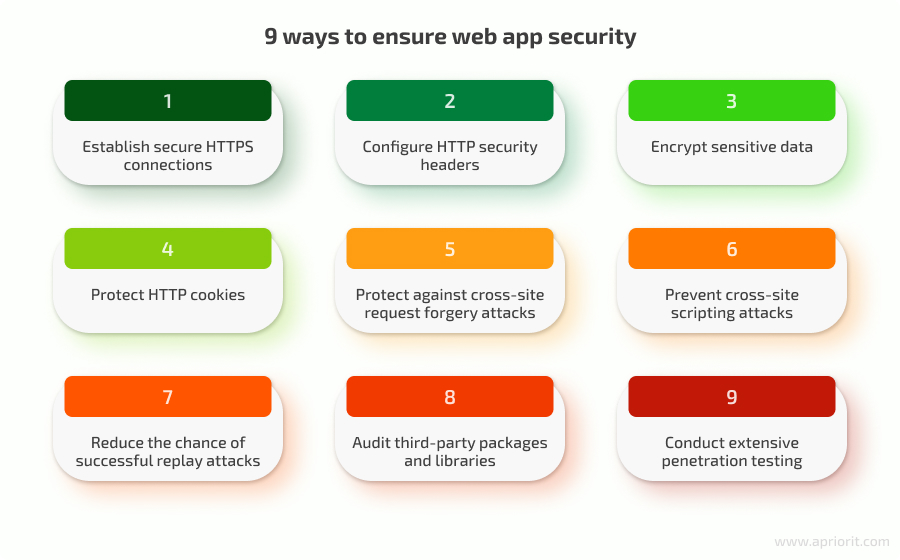
In today’s digital world, your website is more than just an online address—it’s your business’s face, your sales tool, and your brand’s reputation. Every day, thousands of websites are attacked by hackers, viruses, and scams. In Bangladesh and the global market, companies big and small face the risk of data loss, financial damage, and loss of trust.
But here’s the good news: website security doesn’t have to be confusing or expensive. With the right strategy and expert support, you can protect your business, your customers, and your future.
In this article, we’ll explain the most important website security best practices for 2024, with practical tips, real examples, and a focus on what Bangladeshi and international businesses need to know.
Let’s make your website strong and safe—together.
—
Why Website Security Matters For Your Business
Your website is like the front door to your business. Imagine if you left your shop open all night—anyone could walk in and take what they wanted. This is what happens when your website is not secure. You risk more than just your information; you risk your reputation, your customers’ trust, and your company’s ability to do business.
When your website is not secure, you risk:
- Customer data leaks (like names, emails, payment info): When hackers steal this information, your customers might receive spam, lose money, or have their identity stolen. Customers may blame your business, even if the attack was not your fault.
- Website defacement (hackers changing your content): Attackers can replace your homepage with offensive messages, political statements, or even fake “discount” offers. This can hurt your brand and confuse your customers.
- Search engine blacklists (Google can remove you from search results): If Google or other search engines find malware or scams on your site, they can block you. Your site might show scary warnings, and new visitors will avoid you.
- Loss of trust (customers may never return): Trust is hard to earn and easy to lose. One security incident can make customers leave forever.
A single attack can cost a business lakhs of taka—or even force it to close. In 2023, cyber-attacks increased by over 40% worldwide. Even small Bangladeshi companies and e-commerce shops have been targeted. Attackers do not care if your business is new or small; they use automated tools to search for weaknesses everywhere.
Real Example: A popular online clothing store in Dhaka lost their site for 3 days due to a simple plugin vulnerability. They lost sales and had to spend extra money to fix the problem. Customers who tried to visit saw error messages or warnings. Some went to competitors instead. The business spent weeks rebuilding trust.
Non-Obvious Insight: Many small business owners think, “We are too small. Why would hackers care about us?” In reality, automated bots scan millions of sites every day, searching for easy targets. Small businesses are often attacked because they have weaker security.
Another Hidden Risk: Sometimes, a hacked website is used to attack other people or spread scams. Your website could be sending spam emails or showing fake payment forms—without you even knowing. This can get your business blacklisted or even in legal trouble.
Prevention is always cheaper and safer than cure. Investing in good security saves you money, time, and reputation in the long run.
—
Common Website Security Threats In 2026
Knowing your enemy is the first step. Here are the main threats businesses face:
- Malware – Harmful software that can steal data or damage your site. Malware can be hidden in images, links, or files uploaded to your site. Sometimes, it quietly collects customer information or sends spam emails using your server.
- Phishing – Fake login pages or emails to trick your users. Hackers create pages that look like your website and ask users to enter passwords or payment information. They can also send fake emails that seem to come from your business.
- DDoS attacks – Hackers overload your site with traffic and make it crash. These attacks send thousands or millions of fake visitors to your site at once. Real customers cannot access your site, and you might have to pay extra hosting fees.
- SQL Injection – Attackers use code to get into your database. This lets them steal customer data, change your prices, or even delete your website.
- Brute Force Attacks – Repeatedly trying passwords to break in. Attackers use software to try hundreds of passwords every second. If your password is simple, they can guess it quickly.
- Zero-Day Exploits – New, unknown software bugs used by hackers. These are dangerous because no one knows about them yet—not even the software creators. Hackers move fast to attack before a fix is available.
Example: In 2023, a local logistics company was hit by a DDoS attack that made their site unavailable for an entire day. They lost orders and many customers called their office, angry and confused.
Non-Obvious Insight: Many attacks are never noticed by business owners. For example, malware can sit quietly on a site for months, sending stolen data to hackers. If you do not regularly scan your website, you may never know about the problem until it is too late.
International businesses and Bangladeshi companies both face these problems. But the solution is the same: strong security practices.
—

Key Website Security Best Practices For 2026
1. Use Strong, Unique Passwords
Many hacks start with weak passwords like “123456” or “admin”. Every user and admin should use a strong password (at least 12 characters, with letters, numbers, and symbols). Never reuse passwords.
Tip: Use a password manager like LastPass or Bitwarden. These tools create and remember complex passwords for you. You only need to remember one master password.
Examples of strong passwords:
- P@ssw0rd!2024Secure
- Taka$!nSafeBD#879
- 9uPlRz!bQ3#xY@Z
Practical Guidance: Do not use easy-to-guess passwords like your business name, “password123”, or “welcome”. Hackers know these tricks. Also, make sure each user has their own login. Do not share one admin account among several staff.
Non-Obvious Insight: Even a strong password can be stolen if you use it on more than one site. If one site is hacked, attackers try your password everywhere else. Always use unique passwords for each website and service.
2. Enable Two-factor Authentication (2fa)
2FA means you need a code from your phone or email to log in, even if someone knows your password. This stops over 90% of common attacks.
Example: One Stop IT Solutions always enables 2FA for client admin panels. For example, if you log in to your WordPress or cPanel, you get a one-time code on your mobile before you can enter.
How to set up 2FA:
- For WordPress: Use plugins like Google Authenticator or Wordfence Login Security.
- For cPanel or hosting: Ask your provider for 2FA options.
- For email accounts: Turn on 2FA in your Gmail, Outlook, or company email settings.
Practical Guidance: Make sure backup codes are kept in a safe place. If you lose your phone, you need these codes to access your site. Test 2FA with all admins and train them how to use it.
Hidden Risk: Sometimes, staff do not want to use 2FA because they think it is “too much trouble”. Remind them that one extra step can save the entire business from disaster.
3. Keep Software Updated
Outdated plugins, themes, or CMS (like WordPress) are the #1 reason for hacks. Update your website software, plugins, and server regularly.
Bangladesh Example: Many local e-commerce sites use old plugins. This makes them easy targets.
Why updates matter: Software creators fix security holes when they release updates. If you do not update, hackers can use old holes to break in.
Practical Steps:
- Check for updates weekly, or set automatic updates if possible.
- Before updating, back up your site. Sometimes, updates cause problems with old plugins or themes.
- Remove unused plugins or themes. Unused items can still have security risks.
Non-Obvious Insight: Even if you do not use a plugin, just having it installed can be dangerous. Always delete anything you do not need.
Example: A travel agency in Chittagong had not updated their WordPress in over a year. Hackers found a weakness in an old plugin and injected spam links into their website. Google flagged the site, and it took weeks to recover.
4. Use Https (ssl Certificates)
HTTPS encrypts data between your site and users. Google also ranks HTTPS sites higher.
Check: Your site should show a padlock icon and start with “https://”. If you see “Not Secure” in the address bar, you need an SSL certificate.
How to get SSL:
- Many hosting companies offer free SSL (Let’s Encrypt).
- For e-commerce or sensitive sites, consider paid SSL with higher validation.
Benefits:
- Keeps customer data safe during checkout or form submissions.
- Builds trust. Customers are more likely to buy from sites with a padlock.
- Google and other search engines prefer secure sites.
Non-Obvious Insight: Some businesses install SSL but forget to set all pages to “https”. Always check for “mixed content” warnings. All images, scripts, and links must use “https” to avoid browser warnings.
Practical Tip: Use tools like [Why No Padlock](https://www.whynopadlock.com/) to check for SSL problems on your site.
5. Regular Backups
If your site is hacked, a recent backup lets you restore quickly. Store backups in a safe place (not just your main server).
Tip: One Stop IT Solutions offers daily backups for all managed clients.
How to make backups:
- Use backup plugins (UpdraftPlus for WordPress, Akeeba for Joomla).
- Download backups to your local computer or cloud storage (Google Drive, Dropbox).
- Test your backups by restoring them on a test server.
Non-Obvious Insight: Backups are useless if they are infected or incomplete. Make sure you back up both your files and your database. Save copies outside your main hosting account. If your server is attacked, on-server backups can be deleted.
Example: A restaurant website was hacked and all pages were deleted. Because they had a backup from last week, they restored everything in 30 minutes.
6. Limit User Access
Only give admin rights to trusted people. Remove old users. Give each team member only the access they need.
Why it matters: If every staff member is an admin, one stolen password can give hackers full control.
Steps to take:
- Review user accounts every month.
- Remove users who no longer work for you.
- Give editors, writers, and support staff only the permissions they need.
Non-Obvious Insight: Sometimes, old users from previous years still have access. Hackers look for these “forgotten” accounts. Make it a habit to check user lists after every staff change.
Example: A school’s website was defaced when a former teacher’s account was not removed. The ex-staff’s weak password was guessed, and hackers posted fake news.
7. Use Security Plugins And Firewalls
Web application firewalls (WAF) and security plugins can block most attacks before they reach your site.
Popular tools: Wordfence, Sucuri, Cloudflare.
How they help:
- Block suspicious visitors or bots.
- Stop known attack patterns (SQL injection, cross-site scripting).
- Monitor and alert you about attacks in real time.
Cloudflare WAF: Protects your site from DDoS and other attacks. Also makes your site faster with a content delivery network (CDN).
Non-Obvious Insight: Many firewalls can be set up in “learning mode” to avoid blocking real users. Start with low settings and increase as you see what normal traffic looks like.
Practical Tip: Review firewall logs weekly. Look for repeated attacks from the same IP or country. Block dangerous visitors as needed.
8. Scan For Malware Regularly
Automated scans can find hidden malware or changes to your files. Scan at least once a week.
How to scan:
- Use plugins like Sucuri or Wordfence for WordPress.
- Many hosts offer daily malware scans.
- Manually check your site for strange files, links, or code.
Non-Obvious Insight: Malware is often hidden in images, PDFs, or inside plugin folders. Even if your homepage looks normal, your site could still be infected.
Practical Example: A small NGO in Sylhet found hidden malware in a donation plugin. Automated scans alerted them before any donor data was stolen.
9. Secure File Uploads
If your site lets users upload files (like resumes or images), check and limit the file type, size, and content. Hackers use file uploads to install malware.
Practical Steps:
- Allow only certain file types (jpg, png, pdf).
- Set size limits (e.g., max 2MB).
- Rename uploaded files and store them in a special folder.
- Scan all uploaded files for viruses.
Non-Obvious Insight: Even a harmless-looking “image.jpg” can hide malicious code. Always check file extensions and content.
Real Risk: In 2022, a Bangladeshi job portal was hacked through a fake resume upload. The file had a hidden script that gave hackers access to the server.
10. Monitor Website Activity
Keep an eye on login attempts, file changes, and suspicious activity. Early alerts help you react before damage is done.
How to monitor:
- Use plugins or server tools to track logins, file edits, and errors.
- Set up email alerts for failed logins or admin changes.
- Review logs weekly for anything unusual.
Non-Obvious Insight: Many attacks happen late at night or on weekends when no one is watching. Automated alerts can save you hours of damage.
Practical Tip: Assign someone to review activity logs every week, even if it is just a quick scan.
—
Website Security For Bangladeshi Businesses
In Bangladesh, many companies use local hosting, popular CMS like WordPress, and payment gateways like SSLCommerz or bKash. Here’s what you must do:
- Choose reliable local hosting—Cheap hosting often has weak security. Look for hosts with daily backups, malware scanning, and 24/7 support.
- Use trusted payment plugins—Never store card info on your own server. Use official plugins from SSLCommerz, bKash, or Nagad, and keep them updated.
- Comply with Bangladesh ICT laws—Protect customer privacy and data. The ICT Act and Digital Security Act require you to keep user data safe. Violations can lead to fines or legal action.
- Educate your staff—Many attacks happen because of human error. Train your team to spot phishing emails, use strong passwords, and never share logins.
Pro Tip: One Stop IT Solutions works with all major Bangladeshi payment systems and ensures secure integration.
Common Mistake: Some businesses try to save money by building their own payment forms. This is risky. Always use secure, approved payment gateways.
Non-Obvious Insight: Local hosting companies sometimes oversell their servers, making your website slower and less secure. Ask your host about their security measures: Do they offer firewalls, DDoS protection, and free SSL?
Example: A Dhaka-based electronics shop switched to a better hosting provider and saw fewer attacks and faster site speed.
Practical Guidance: Set up a privacy policy on your website, explaining how you collect and use customer data. This builds trust and meets legal requirements.
—
Website Security For International Businesses
If you target the global market (Amazon, eBay, freelancing, international clients):
- Follow international data laws (GDPR, CCPA)—Handle customer data carefully. If you collect information from EU or California customers, you must follow strict rules about data storage, consent, and access.
- Choose global CDN and WAF services—Faster, safer experience for users worldwide. Services like Cloudflare or Sucuri can protect your site from global threats and speed up loading times.
- Check for phishing and brand impersonation—Hackers may copy your site or emails. Regularly search for your brand name online. Report fake sites to Google and your customers.
Example: International clients trust One Stop IT Solutions for secure, cross-border website management. For instance, a client selling handicrafts to Europe needed GDPR-compliant forms and secure payment processing. Our team set up everything and provided clear documentation.
Non-Obvious Insight: International customers care deeply about privacy and security. If your site looks or feels unsafe, they will leave. Show trust signals like SSL, privacy policies, and security badges on your site.
Practical Guidance: Use English and Bangla versions of your privacy policy. If you work with freelancers abroad, make sure they follow your security rules.
Hidden Risk: Some payment processors (PayPal, Stripe) will freeze your account if your site is hacked. Regular audits and good security protect your business income.
—
How One Stop It Solutions Protects Your Business
One Stop IT Solutions is a trusted, expert, and affordable web development & SEO company in Bangladesh. We protect your website using industry-leading tools and strategies.
Our services include:
- Custom website security audits: We check your website, hosting, and plugins for risks and report everything clearly. Our audits cover Bangla and English websites.
- 24/7 monitoring and support: If there is a problem, our team responds immediately—even at night or on holidays.
- Secure website and e-commerce development: We build new sites with strong security from day one. Our team knows local and international business needs.
- Fast malware removal: If you are hacked, we clean your site, remove malware, and restore your data—usually within hours.
- Regular updates and maintenance: We update your plugins, CMS, and server so you do not have to worry.
- SEO-friendly security solutions: Our security setups never hurt your Google rankings. In fact, Google prefers secure, fast sites.
Why choose us?
- Proven track record with both Bangladeshi and international clients: We have secured sites for schools, clinics, shops, and exporters.
- Transparent, affordable pricing: No hidden fees. Packages for every budget.
- Friendly, local team that speaks your language: We explain everything in simple Bangla and English. No tech jargon.
Non-Obvious Insight: Our team also helps you with legal compliance (privacy policies, consent forms) and trains your staff. Security is not just about software—it is about people.
Example: We helped a freelancer in Sylhet recover his hacked portfolio site and set up a secure system for client file uploads. He was able to show international clients that he takes security seriously.
—
Real-world Example: Security Success Story
A Dhaka-based export company was losing international clients because of frequent website downtime. Our team found several old plugins and weak passwords. We updated their system, set up a firewall, enabled 2FA, and trained their staff. The website has been safe for over a year, and their clients are happy.
More Detail: Before our intervention, the company’s website crashed three times in one month. Each time, they lost contact with European buyers. Our audit found that staff used “export2022” as their password, and there were four plugins that had not been updated in two years.
Our process:
- We made a complete backup of the website.
- Updated all plugins, themes, and WordPress core.
- Installed a firewall and set up strong access controls.
- Enabled two-factor authentication for every admin.
- Trained the staff on how to spot phishing emails and avoid risky behavior.
- Set up daily backups to a secure cloud account.
- Monitored the site for the next three months, adjusting settings as needed.
Result: No more downtime. The company’s website loads faster, and international clients now see security badges and trust seals. The staff feels confident and knows what to do if they get a suspicious email.
Practical Lesson: Security is a combination of technology, training, and regular review. Even simple changes can protect your business and open new opportunities.
—
Data: Common Website Attacks And How To Stop Them
Here is a quick comparison of common attacks and prevention methods:
| Attack Type | What It Does | How to Prevent |
|---|---|---|
| Malware | Steals data, damages site | Regular scans, updates, firewall |
| Phishing | Tricks users to give info | 2FA, user education |
| DDoS | Makes site unavailable | CDN, web firewall |
| SQL Injection | Accesses database | Secure code, limit user input |
Additional Detail:
- Cross-Site Scripting (XSS): Attackers inject malicious code into web pages viewed by others. This can steal cookies or redirect users.
- Prevention: Sanitize user input, use security plugins.
- Man-in-the-Middle (MITM): Hackers intercept data between your site and users, often on public Wi-Fi.
- Prevention: Use HTTPS, educate users.
Practical Insight: Attackers often use more than one method at the same time. For example, they might use phishing to get a password and then upload malware.
Non-Obvious Insight: Not all attacks are obvious. If your site is slower, uses more bandwidth, or your emails go to spam, you could be under attack.
Action Plan: What Should You Do Next?
- Review your website and hosting security.
- Check who has access. Remove old users. Ask your host about security measures.
- Update all software and passwords.
- Update WordPress, plugins, themes, and server tools. Change passwords to strong, unique ones.
- Set up daily backups and 2FA.
- Make sure you can restore your site quickly. Enable two-factor authentication for all admins.
- Train your staff on basic security.
- Hold a short meeting. Teach them how to spot scams, use strong passwords, and report issues.
- Contact a professional for a full security audit.
- Even if you follow these steps, experts can find hidden risks. They will give you a full report and clear action plan.
One Stop IT Solutions offers a free consultation to identify your risks and recommend the best solutions.
Bonus Tips:
- Test your site’s security with free tools like [SSL Labs](https: //www.ssllabs.com/ssltest/) or [Sucuri SiteCheck](https://sitecheck.sucuri.net/).
- Use Google Search Console to monitor for security issues or blacklisting.
- Set up alerts for your brand name to catch fake sites or scams using your identity.
Non-Obvious Insight: Security is never “finished.” Hackers change tactics every year. Review your security every 6 months, or after any staff or system change.
—
Frequently Asked Questions
What Is The Most Common Website Security Mistake?
Many businesses use weak or repeated passwords and do not update their website software. These simple mistakes make it easy for hackers to break in.
Hidden Risk: Some owners share admin passwords with staff or freelancers without changing them later. Always create separate accounts and delete them when not needed.
How Often Should I Update My Website Plugins Or Cms?
You should check for updates at least once a week. Turn on auto-updates if possible, but always back up your site before updating.
Practical Tip: Subscribe to plugin or CMS security news. If you hear about a major bug, update immediately.
Is Https Really Necessary For Small Businesses?
Yes. HTTPS protects data and builds customer trust. Google also prefers HTTPS sites in search results.
Non-Obvious Insight: Some payment gateways and browsers will block your site if you do not use HTTPS. Always keep your SSL certificate valid and renew before expiry.
Can One Stop It Solutions Help After A Website Is Hacked?
Absolutely. Our team can remove malware, restore your site, and put security measures in place to prevent future problems.
Practical Tip: Call us as soon as you notice a problem. The faster you act, the easier and cheaper it is to fix.
What Is The Cost Of Professional Website Security Services?
It depends on your website’s size and needs. One Stop IT Solutions offers affordable packages for small and large businesses. Contact us for a free quote.
Hidden Value: Good security saves you money in the long run. One hack can cost more than years of protection.
—
Your website is the heart of your business—don’t leave it open to risk. For expert help in web development, SEO, and website security, trust One Stop IT Solutions.
👉 Website: [onestopitbd.com](https://darkblue-curlew-445621.hostingersite.com)
👉 Email: Contact@darkblue-curlew-445621.hostingersite.com
👉 Whatsapp: +8801914119584
Take action today and keep your business safe, strong, and ready for success. For more on website security best practices, you can also check CISA’s official resources.