
Running a business today is not easy. Clients expect fast answers, easy communication, and helpful information—all online. But many businesses in Bangladesh and around the world face a big problem: their websites are missing key features. This makes them lose customers, waste money, and fall behind competitors.
Imagine a client searching for your service. If your site is slow, confusing, or not mobile-friendly, they will leave and find someone else. The good news? You can fix these problems. With the right website features, you can attract more clients, build trust, and grow your business—both in Bangladesh and the international market.
In this article, you’ll learn the must-have features for any modern business website. You’ll also get practical tips, real examples, and learn why smart companies trust One Stop IT Solutions for web development and SEO.
Why Your Business Needs A Strong Website
Many businesses in Bangladesh start with a simple Facebook page or a basic website. But clients today want more. They want clear information, easy contact, and a site that looks good on any device. A weak website can mean lost sales and a bad reputation.
A strong website is your main online identity, not just a digital business card. When a customer or client lands on your page, they judge your business in seconds. If your site looks old or is hard to use, you miss the chance to impress.
In fact, many customers never call, email, or visit if they don’t like what they see.
International clients also check your website before doing business. If your site is outdated or slow, they may not trust you. That’s why a professional website is an investment, not just a cost.
A strong site also makes your business available 24/7. People can find information, ask questions, or even buy products when your office is closed. This is especially important if you want to grow in the international market, where time zones are different.
Another key reason is competition. If your competitors have good websites and you don’t, they win. Clients compare options online. Even if you have a better product, a weaker site can mean lost business.
A strong website also helps you control your brand. Social media is important, but you don’t own those platforms—rules can change, pages can get deleted, and you have less control. Your website is yours. You decide the look, the message, and the features.
Finally, a good website makes marketing easier. You can run ads, share news, and show your latest offers. It’s the center of your online strategy.
Non-obvious insight: A strong website is also a powerful hiring tool. Talented people check your site before applying for a job. If they see a modern, professional website, they feel more confident in your business.
Another beginner mistake: Some business owners think having a Facebook page is enough. But search engines like Google prefer websites. With a real website, you can appear in search results for your services, not just your brand name.
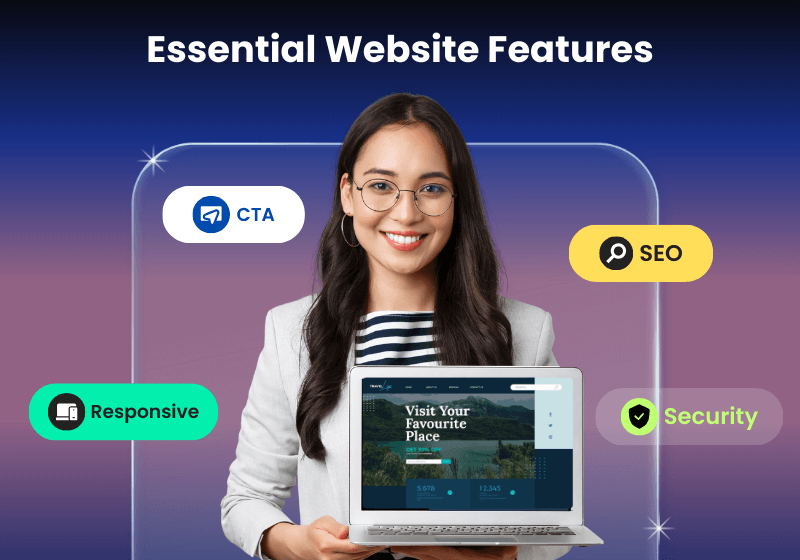
Essential Features For Every Business Website
Let’s look at the key features your website needs to succeed.
1. Clear Branding And Company Information
Your website must show your logo, company name, and what you do—right at the top. New visitors should know they’re in the right place in seconds.
- Add a short tagline that explains your business.
- Show your office location, especially if you serve both Bangladesh and international markets.
- Include a short “About Us” section.
Example:
A Dhaka-based export company uses a clear banner: “Exporting Quality Leather Goods Worldwide Since 2005.”
Detailed explanation:
Branding is more than just a logo. It’s about trust. People feel safer when they know who they are dealing with. Your company name and tagline help visitors remember you. Add your main value (for example, “Trusted Home Appliance Repair in Dhaka”) near the top.
Location is also important. Many buyers look for local suppliers. Even if you serve clients worldwide, showing your city and country helps with trust and SEO. For example, “Based in Chattogram, Serving Clients Worldwide. ”
Your “About Us” section can be short but must explain your history, mission, and what makes you different. This is often one of the most visited pages, especially by international clients who want to know your background.
Extra tip:
Use the same logo, colors, and style on your website, social media, and printed materials. This makes your brand easy to recognize everywhere.
Common mistake:
Some businesses hide their company name or logo in small print. Always make it big and clear at the top.
2. Mobile-friendly (responsive) Design
Over 70% of website visits in Bangladesh now come from mobile devices (source: BTRC data, 2023). If your site is not mobile-friendly, you lose clients.
Tips:
- Test your site on different phones and tablets.
- Use large buttons, readable text, and simple menus.
- Ask your web developer for a “responsive” site.
One Stop IT Solutions always builds responsive websites, so your site looks great everywhere.
Expanded detail:
A responsive design means your website changes shape to fit any screen—big or small. This is vital because most clients will first see your site on their phone. If they need to zoom in, scroll sideways, or click tiny buttons, they will leave.
Practical advice:
After your website is finished, don’t just check on your laptop. Open it on your own phone and tablet. Try to fill in a form or click a menu. If anything is hard, ask your developer to fix it.
Non-obvious insight:
Google now uses “mobile-first indexing. ” This means Google checks your mobile site first, not your desktop version, when deciding your search ranking.
Example:
A restaurant in Sylhet doubled online orders after switching to a mobile-friendly site because clients could easily see the menu and order from their phones.
Common mistake:
Some developers make the desktop site first, then try to “fix” it for mobile. It’s better to design for mobile first, then add desktop features.
3. Fast Loading Speed
People hate waiting. A slow website means lost sales. Studies show that 53% of mobile users leave if a page takes more than 3 seconds to load.
How to improve speed:
- Use small images (under 200 KB if possible).
- Avoid too many animations.
- Choose a good web hosting company.
Expanded explanation:
Speed is more than just comfort—it’s about sales and SEO. Google ranks faster sites higher, especially for mobile searches. Clients also trust fast websites more. If your site is slow, they worry your service will also be slow.
Real-life example:
An e-commerce site in Dhaka improved their loading time from 8 seconds to 2 seconds. Their sales jumped by 25% in one month.
Extra tips:
- Use “lazy loading” for images so pictures load only when the user scrolls down.
- Compress images before uploading (use free tools like TinyPNG).
- Remove unused plugins or scripts.
- Minimize the number of fonts and external resources.
Common mistake:
Some business owners want fancy sliders, pop-ups, or background videos. These slow down your site and often annoy users. Simple is better.
4. Easy Navigation
Your site should be easy to use. Visitors must find what they want quickly.
- Use a simple top menu: Home, About, Services, Contact.
- Add a “Back to Top” button for long pages.
- Keep important links in the footer.
Expanded detail:
Navigation is about guiding visitors. If they get lost, they leave. The top menu should be clear and visible on every page. Avoid too many menu items—4 to 6 is ideal.
Footer tip:
The footer is the bottom part of your website. Add your contact info, quick links, and maybe a small map there. Many visitors scroll down to find these details.
Practical advice:
Ask a friend or client to use your site and find something (like your phone number or service list). If it takes more than 10 seconds, your navigation needs improvement.
Non-obvious insight:
Breadcrumbs—small text links like “Home > Services > Web Design”—help users see where they are, especially on bigger sites.
Common mistake:
Hiding your menu under a small “hamburger” icon (three lines) on desktop. Only use this on mobile.
5. Clear Call To Action (cta)
Tell visitors what to do next: Contact Us, Get a Quote, or Buy Now. Place CTAs in visible places.
Example:
A Chittagong logistics firm uses buttons: “Request Shipping Quote” and “Call Us: 017XXXXXXXX.”
Expanded explanation:
Every page should have at least one clear CTA. This guides your visitors and increases results. For example, after describing your service, add a button: “Book a Free Consultation.”
Placement tip:
Put CTAs near the top, in the middle, and at the end of each page. Use a different color for CTA buttons so they stand out.
Non-obvious insight:
Use action words (“Start Now”, “Download Profile”, “Chat with Us”) instead of generic ones (“Submit”, “Send”).
Practical example:
A law firm in Dhaka added a bright “Book a Free Call” button on every page. Their consultation requests rose by 60% in two months.
6. Contact Information And Forms
Show your phone number, email, and address clearly on every page. Use a simple contact form—name, email, message.
Tip:
Add WhatsApp or Messenger chat for faster replies.
Expanded detail:
Many visitors want to call or message you directly. Don’t make them search for contact info. Add your phone and email to the top right or top left of every page.
Contact forms:
Keep them short. Too many questions scare people away. Name, email, message is enough for most businesses.
Live chat:
Many clients prefer instant messaging over forms. Add chat tools like WhatsApp, Messenger, or Tawk. to. These tools are free or low-cost and work well in Bangladesh.
Non-obvious insight:
Add your business hours. Clients want to know when you are available for calls or visits.
Extra tip:
Use Google Maps on your Contact page so clients can find your office easily.
Common mistake:
Forgetting to reply quickly to messages. Set up email alerts so you never miss a lead.
7. Services Or Products Page
Describe your main services or products. Use simple words and short paragraphs. Add real photos if possible.
Example:
An IT company lists: Web Development, SEO, App Development, with 1-2 lines for each.
Expanded detail:
For each service or product, explain:
- What it is
- Who it’s for
- Key benefits
Use bullet points for features. Add real photos instead of stock images when possible. Clients trust what they can see.
Practical example:
A cleaning company in Dhaka added before-and-after photos. This helped clients see real results and increased bookings.
Non-obvious insight:
Group your services by category if you have many (e. g. , “Digital Marketing”, “Design”, “Development”).
Extra tip:
Add prices if possible, or at least a starting price. This saves time for both you and your clients.
Common mistake:
Describing services with technical jargon. Use simple, direct language.
8. Testimonials And Client Reviews
Trust is key, especially in the international market. Show real client feedback.
- Add 2-3 short reviews with names and photos (if possible).
- Use logos of well-known clients.
Expanded explanation:
Client reviews prove you deliver results. Even a few short testimonials build trust.
How to collect testimonials:
Ask happy clients for a short review. Offer to write a draft for them to approve if they are busy.
Display tip:
Show reviews on your homepage, service pages, and a dedicated “Testimonials” page.
Non-obvious insight:
Video testimonials or audio clips are even more powerful, but written reviews are a good start.
Common mistake:
Using fake reviews or only showing “Anonymous” testimonials. Real names and company names build more trust.
9. Seo-optimized Content
SEO helps people find you in Google. Use keywords that clients search for, like “best web development in Bangladesh” or “affordable SEO company Dhaka. ”
- Write unique content for each page.
- Use headings (H1, H2, H3) for structure.
- Add meta titles and descriptions.
Expanded detail:
SEO (Search Engine Optimization) is how clients find you online. Without it, your website is invisible. Use the words your clients use, not just industry terms.
Practical steps:
- Research keywords using free tools like Google Keyword Planner or Ubersuggest.
- Add your main keyword to the page title, first paragraph, and at least one heading.
- Write for humans, not just Google. Make your content easy to read.
Meta titles and descriptions:
These are short texts that appear in Google search results. They should be clear, short (under 60 characters for titles), and include your main keyword.
Non-obvious insight:
Alt text for images helps Google and also helps visually impaired users.
Common mistake:
Copying content from other sites. Google can detect this and will not rank your site.
10. Secure (https) Website
Security matters. Clients look for the padlock symbol (HTTPS) in browsers. Google also ranks secure sites higher.
How to get HTTPS:
Ask your developer or hosting provider to install an SSL certificate.
Expanded explanation:
HTTPS keeps your client’s data safe. It’s required for all e-commerce sites and recommended for every business. Many browsers now show “Not Secure” warnings if your site is not HTTPS.
SSL certificates:
Most hosting providers offer free SSL certificates (like Let’s Encrypt) or paid ones for extra features.
Non-obvious insight:
Secure websites can process forms and payments safely. Without HTTPS, sensitive data like messages or orders can be stolen.
Common mistake:
Some owners think HTTPS is only for online shops. It’s important for all sites.
11. Portfolio Or Case Studies
Show your past work. Add 3–5 examples with images, project details, and results.
Example:
A garments exporter shows: “Delivered 10,000 shirts to UK retailer in 2022.”
Expanded detail:
A portfolio proves your ability. For each project, include:
- Client name (if allowed)
- Project goal
- What you did
- Results (numbers if possible)
Images:
Before and after photos, screenshots, or certificates add credibility.
Case studies:
Write a short story about a project. For example, “A real estate client wanted more leads. We built a new site and they got 50% more inquiries in 3 months. ”
Non-obvious insight:
If you can’t show client names, describe the industry and results (e. g. , “Helped a Dhaka-based retailer grow sales by 35% with a new e-commerce site”).
Common mistake:
Having an empty portfolio page or only showing “Coming Soon. ” Add at least a few examples right away.
12. Faq Section
Answer common client questions. This saves time and builds trust.
Tip:
Update FAQs as your business grows.
Expanded detail:
FAQs (Frequently Asked Questions) help visitors quickly find answers. This reduces calls and emails, saving you time.
How to write FAQs:
Ask your sales team for the most common questions. Answer them simply and honestly.
Examples:
- “How long does delivery take?”
- “Do you offer refunds?”
- “What payment methods do you accept?”
Non-obvious insight:
FAQs can target important SEO keywords (“How much does web design cost in Bangladesh? ”)
Common mistake:
Only answering easy questions. Address tough questions too. This builds more trust.
13. Blog Or News Section
Share updates, tips, or industry news. Blogging helps your SEO and shows you are active.
Example:
A construction firm writes: “Top 5 Trends in Bangladesh Real Estate (2024).”
Expanded detail:
A blog helps you show expertise and keeps clients updated. Each post is a new chance to appear in Google for different keywords.
What to write about:
- Tips for clients (“How to choose the right shipping partner”)
- Industry news (“New export rules in 2024”)
- Company updates (“We opened a new branch”)
- Success stories (“How we helped a client save costs”)
Non-obvious insight:
Blog posts can answer questions from clients, making support easier.
Practical advice:
Write at least one post every month. Share on social media to get more visitors.
Common mistake:
Starting a blog and then stopping. Regular updates show your business is active.
14. Social Media Integration
Link your Facebook, LinkedIn, or Instagram pages. Add share buttons for blog posts.
Expanded detail:
Most people in Bangladesh use social media daily. Linking your accounts helps clients connect with you everywhere.
How to integrate:
- Add small icons in the header or footer.
- Use “Share” buttons on blog posts so visitors can share your content.
Non-obvious insight:
Connecting social media and your website boosts both. For example, post a new blog, then share it on Facebook and LinkedIn.
Common mistake:
Linking to inactive pages. Only add social media links if you post updates at least once a month.
15. Multi-language Support (if Needed)
If you work with international clients, consider adding English and Bangla options.
Tip:
Start with English and add Bangla when possible.
Expanded detail:
Multi-language sites reach more people. Some clients prefer Bangla, others need English. For exporters, English is a must.
How to add:
Ask your developer to use a translation plugin or create separate language pages.
Non-obvious insight:
Google can index each language page separately, bringing more traffic.
Practical example:
A hotel in Cox’s Bazar added English and Chinese pages. Their international bookings increased by 20%.
Common mistake:
Using only Google Translate. Hire a professional translator for important pages.
16. Live Chat Support
Live chat helps you answer questions fast and close more deals.
- Use simple tools like WhatsApp, Facebook Messenger, or Tawk.to.
- Show chat box on all pages.
Expanded detail:
Live chat increases leads because clients get instant answers. Many prefer chat over calls or emails.
How to set up:
Use free or paid chat tools. Install the code on your site. Assign someone to reply quickly.
Non-obvious insight:
You can answer client questions from your phone, even after office hours.
Common mistake:
Adding chat but never replying. Set up notifications and a backup person.
17. Privacy Policy And Terms
Show you respect client data. Add clear privacy and terms pages, especially for international clients.
Expanded detail:
Privacy policies are required in many countries. They explain how you use client data. This is vital if you collect emails, use Google Analytics, or sell products.
Terms and Conditions:
These protect your business. For example, you can explain refund rules, payment terms, or service limits.
Non-obvious insight:
Google and Facebook may block your ads if your site has no privacy policy.
Common mistake:
Copying policies from other sites without editing. Always update for your business.
18. Analytics And Tracking
Use tools like Google Analytics to see who visits your site, what they do, and where they come from.
- Check which pages are popular.
- See how clients find you (Google, Facebook, etc. ).
Expanded detail:
Analytics show what works and what doesn’t. You can see:
- Which pages get the most visitors
- Where visitors come from (country, city, website)
- Which devices they use
- How long they stay
How to set up:
Sign up for Google Analytics (free) and add the code to your site.
Non-obvious insight:
Check “bounce rate” (how many leave after one page) to find weak spots.
Practical advice:
Review your stats every month and update your site based on the data.
Common mistake:
Ignoring analytics or never checking results.
19. Newsletter Signup
Collect emails to update clients with news or offers. Use a simple signup form.
Expanded detail:
A newsletter helps you stay in touch with clients. You can send:
- New product updates
- Special offers
- Industry news
- Company news
How to set up:
Use tools like Mailchimp or Sendinblue. Add a signup form to your homepage and blog.
Non-obvious insight:
Email marketing gets higher engagement than social media. Many clients check their inbox more than Facebook.
Tip:
Offer a small reward (like a free guide) for signing up.
Common mistake:
Asking for too much info (name, phone, address). Just ask for an email.
20. Awards, Certifications, Or Memberships
Show any industry awards or certifications. This builds trust, especially with foreign buyers.
Expanded detail:
Badges, awards, and certificates prove your business is real and trusted. Show logos on your homepage and “About Us” page.
Examples:
- ISO certificates
- Industry association memberships
- Local awards
Non-obvious insight:
Even small local awards can impress international buyers.
Tip:
If you don’t have awards, join a business group or get a quality certification.
Common mistake:
Letting certificates expire or showing old awards. Keep them current.
—
How One Stop It Solutions Makes A Difference
Many web companies make big promises. But One Stop IT Solutions delivers real results. Here’s why businesses in Bangladesh and abroad choose us:
- Trusted: 200+ satisfied clients, 5+ years experience
- Affordable: Packages for all budgets, no hidden costs
- Expert: Skilled in web development, SEO, and digital marketing
- Fast Delivery: Projects completed on time, every time
- Support: Friendly, helpful, and always available
Example:
A leading Dhaka-based exporter increased international orders by 40% after a site redesign by One Stop IT Solutions.
Expanded detail:
What makes One Stop IT Solutions different is the focus on your business goals. We don’t just make pretty sites—we build websites that bring more clients, more sales, and better results.
Practical approach:
We start by understanding your market, both in Bangladesh and globally. Then we plan the best features for your goals. We test every site on real devices and train your staff to manage updates.
Support:
Our team is available by phone, email, or WhatsApp. We answer questions fast and fix problems quickly.
Extra value:
We include basic SEO, security setup, and analytics in every package. You don’t need to pay extra for the essentials.
Real client story:
A Narayanganj-based manufacturer needed to impress European clients. We built a new English site, added a portfolio, and set up live chat. In 6 months, they got three new export orders—worth over $100,000.
Non-obvious insight:
Many local companies don’t know how to apply for international awards or certificates. We guide you on this too, making your business stand out.
—
Real-world Examples: Bangladesh And International Market
Bangladesh Example
A small pharmacy in Khulna wanted more local customers. After launching a mobile-friendly site with clear contact info and local SEO, they saw a 30% increase in walk-in clients in 3 months.
Expanded story:
Before the new site, the pharmacy had only a Facebook page and a basic site with no contact form. Many clients said they couldn’t find the location or opening hours. One Stop IT Solutions created a new site with a Google Map, WhatsApp chat, and a medicines list.
The owner also wrote weekly health tips on the blog, which brought more visitors from Google.
Extra benefit:
The site appeared in Google Maps for “pharmacy near me,” bringing new clients from the local area.
Lesson:
Even small changes—like adding your opening hours—can make a big difference.
International Example
A garments manufacturer in Narayanganj wanted to reach European buyers. One Stop IT Solutions built a professional, fast, and secure site with English content and a portfolio section. Within 6 months, they got three new international orders.
Expanded story:
The original website was slow, had no portfolio, and only Bangla text. International buyers could not read the site or see past work. We created a new English site, added a detailed “About Us,” and showcased recent projects with results.
We also set up live chat for instant contact.
Extra benefit:
We added an FAQ and certifications page, which impressed buyers from the UK and Germany.
Lesson:
A good website opens doors to new markets. Small details like language, fast speed, and real photos matter.
Non-obvious insight:
International clients often check your website at night (Bangladesh time). A 24/7 live chat helps catch these leads.
—

Data Comparison: With Vs. Without Key Website Features
Here’s how adding essential features can change your business results:
| Feature | Without | With |
|---|---|---|
| Mobile-Friendly | High bounce rate, lost clients | More visitors, higher sales |
| Clear CTA | Few inquiries | More leads, more sales |
| SEO Content | Low Google ranking | More organic traffic |
| Live Chat | Missed questions, lost leads | Faster replies, more deals closed |
| Portfolio | No proof of work | Higher trust, more sales |
| HTTPS Security | Clients see “Not Secure,” lose trust | Safe site, higher Google ranking |
| Analytics | No idea what works | Data for better decisions |
Non-obvious insight:
Combining features multiplies the results. A mobile-friendly site with clear CTAs and live chat gets far more leads than a site with only one feature.
—
Practical Tips For Your Website Success
- Review your site now. Check if you have all key features.
- Ask your clients: Is your site easy to use? What’s missing?
- Update content every 2–3 months to stay fresh.
- Use real photos of your team, office, or products—not just stock images.
- Test on mobile and slow internet (many clients in Bangladesh use 3G/4G).
- Work with experts like One Stop IT Solutions for best results.
Expanded advice:
- Check your analytics weekly. Look for pages with high “bounce rate” or few visits. Improve these pages first.
- Reply to all leads within one hour. Fast replies win more clients.
- Show your team. Add a “Meet the Team” section with names and photos. This builds trust.
- Add short videos. A 30-second intro video can increase trust and sales.
- Check for broken links. Use free tools to find and fix them.
- Use simple language. Write for 10-year-olds, not experts.
- Make your site accessible. Use readable fonts, high contrast, and alt text for images.
- Add a blog post every month. Even short updates show your business is active.
- Back up your site regularly. Use your hosting panel or plugins.
- Check your site speed often. Use tools like Google PageSpeed Insights.
Non-obvious insight:
Add a “Why Choose Us” section on your homepage. List 3–5 reasons clients should pick you.
Common mistake:
Trying to do everything yourself. A small investment in expert help saves time and gets better results.
—
Choosing The Right Web Development Partner
It’s tempting to choose the cheapest option. But a poor website costs more in lost sales and reputation. Ask these questions before hiring:
- Do they offer clear pricing and support?
- Can they show past work and client reviews?
- Do they understand both local and international markets?
- Will they help with SEO and security?
One Stop IT Solutions answers “yes” to all. We build sites that help you win more clients and grow your business.
Expanded guidance:
Choosing a web partner is like choosing a business partner. Look for:
- Experience in your industry
- Clear contracts and no hidden fees
- Training for your team on how to update the site
- Ongoing support and maintenance
What to avoid:
- Developers who disappear after delivery
- No portfolio or fake testimonials
- Promises of “instant” Google #1 ranking
Non-obvious insight:
Ask for a demo or prototype before paying the full amount.
Extra tip:
Choose a company that offers both web and marketing support. This saves time and ensures your site works well with your marketing.
—
Feature Checklist For Your Business Website
Use this checklist to see if your website has all the essentials:
| Feature | Have It? |
|---|---|
| Clear Branding | Yes/No |
| Mobile-Friendly Design | Yes/No |
| Fast Loading Speed | Yes/No |
| Easy Navigation | Yes/No |
| Clear CTAs | Yes/No |
| Contact Info | Yes/No |
| SEO Content | Yes/No |
| Portfolio | Yes/No |
| Testimonials | Yes/No |
| Live Chat | Yes/No |
| HTTPS Security | Yes/No |
| Analytics | Yes/No |
| Newsletter Signup | Yes/No |
| Awards/Certifications | Yes/No |
Pro tip:
If you mark “No” for any feature, fix it this month for better results.
Frequently Asked Questions
What Is The Most Important Feature For A Business Website?
The most important feature is a mobile-friendly design. Most clients in Bangladesh and worldwide use smartphones. If your site works well on mobile, you get more visitors and more business.
Extra insight:
A mobile-friendly site also ranks higher on Google and gets shared more on social media.
How Can I Improve My Website’s Google Ranking?
Use SEO-friendly content, add clear headings, and update regularly. Target keywords like “best web development in Bangladesh.” Get expert help from a trusted company like One Stop IT Solutions.
Extra tip:
Get backlinks from other trusted sites. Write guest posts, get listed in directories, and share your content.
Should I Include Prices On My Website?
If possible, yes. Clear pricing builds trust. If your services are customized, add a “Request a Quote” form and reply quickly.
Non-obvious insight:
Even a “Starting from” price helps clients decide if your service fits their budget.
How Often Should I Update My Website?
Update your site every 2–3 months. Add new projects, blog posts, or client reviews. This keeps your site fresh for both Google and your clients.
Pro tip:
Set a reminder in your calendar to review your site. Small updates are better than a big overhaul every few years.
Why Choose One Stop It Solutions For My Website?
We are a trusted, affordable, and expert web development and SEO company. We know the Bangladesh and international markets. We deliver quality, fast, and friendly service—helping your business grow.
Expanded answer:
We also provide after-sales support, free training for your staff, and practical marketing advice. Our team speaks both Bangla and English, making communication easy.
—
Ready to take your business online and win more clients? Trust the experts at One Stop IT Solutions.
👉 Website: [onestopitbd.com](https://darkblue-curlew-445621.hostingersite.com)
👉 Email: Contact@darkblue-curlew-445621.hostingersite.com
👉 Whatsapp: +8801914119584
Grow your business with a powerful website—get started today! For more on web design best practices, see NNGroup’s UX Guidelines.