
In today’s fast-changing business world, a web application is more than just a website. It’s your digital office, shop, or service center—open 24/7 for clients in Bangladesh and around the world. But what happens if your app becomes slow when more users visit? Or, what if your website crashes during a big sales event? These are real problems for growing businesses.
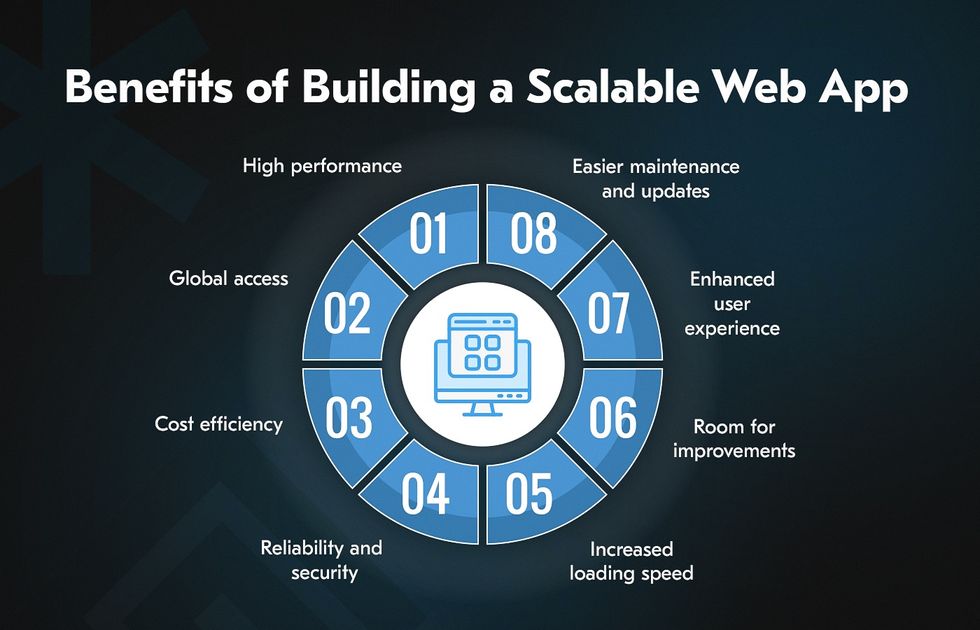
The solution is scalability. A scalable web application can easily handle more users and more data without breaking down. This means your business can grow, serve more customers, and earn more revenue—without worrying about website issues.
In this article, you’ll learn simple steps to build a scalable web application. Whether you serve clients in Bangladesh, export globally, or dream of reaching international markets, these tips will help you plan for success. We’ll also show how One Stop IT Solutions is your trusted partner for building reliable, affordable, and expert web apps.
Why Scalability Matters For Your Business
Businesses grow in unexpected ways. Sometimes, a small online shop in Dhaka becomes popular overnight because of a viral Facebook post. Maybe your service gets featured in a popular newspaper. Or perhaps, during a festival like Eid, your sales skyrocket.
In all these cases, your web application must be ready for more visitors and more transactions. If not, users might experience slow loading, errors, or even complete crashes.
Handling Growth
Imagine your app is popular during Eid sales or Black Friday. If it’s not scalable, users may see errors or slow pages. This can hurt your reputation and sales.
For example, a local clothing store launched a flash sale. Their website was not ready for the sudden increase in visitors. The result? The checkout page crashed, and many customers left. The company not only lost sales but also their customers’ trust.
Scalability helps you avoid such problems. A scalable app automatically adjusts resources based on demand. When more people visit, it brings in more power. When traffic is low, it saves resources, reducing costs.
Saving Money
A scalable system uses resources only when needed. You don’t pay extra for unused servers. This is especially important for SMEs in Bangladesh, where every taka counts.
Traditional systems require you to buy or rent servers for your highest possible traffic. Most of the time, these servers sit idle, wasting money. With scalable cloud solutions, you pay only for what you use. If you get 10,000 users one day and 500 the next, your costs adjust automatically.
This is especially useful for seasonal businesses. For example, a travel agency may see big jumps in website traffic before Eid or Puja holidays. With scalable infrastructure, you don’t have to worry about buying servers you won’t use most of the year.
Serving Global Clients
International customers expect fast, reliable service. A scalable app means your business can compete with global brands.
If your app is slow for users in Singapore or New York, they’ll go to a competitor. Scalability ensures your app can add resources in different locations, so users worldwide get the same fast experience. This is important for Bangladeshi startups aiming to export their products and services.
You never know when your business might attract users from abroad.
Non-obvious insight: Scalability is not just about handling more users. It’s also about handling *different* users—those using mobile, desktop, slow internet, or different languages. A scalable system can adapt to all these needs, keeping every customer happy.
Key Features Of A Scalable Web Application
Building a scalable web application is not just about “adding more servers. ” Several important features make an app truly scalable.
- Flexible architecture: Easy to add new features or handle more users.
For example, a modular design lets you add new payment methods or languages without rewriting the whole system.
- Cloud readiness: Works with cloud platforms like AWS, Azure, or local data centers.
Cloud platforms let you add or remove resources within minutes. You can launch new features globally in hours, not weeks.
- Load balancing: Spreads user traffic, so no single server gets overloaded.
If one server is busy, another can help. This avoids downtime and keeps performance high.
- Database optimization: Handles large data smoothly.
As your business grows, your database grows too. A scalable app must search, update, and store data quickly, even as the numbers grow.
- Security: Protects user data, even as your app grows.
Hackers often target growing businesses. Scalable apps have security built-in from the start, not as an afterthought.
Additional insight: Many beginners focus on “adding users” but forget about *removing* old data, handling backups, and keeping the app fast as it grows. A scalable app plans for data “housekeeping” too—cleaning up logs, archiving old orders, and keeping the database healthy.
Step-by-step Guide To Building A Scalable Web Application
1. Plan Your Application Architecture
Before writing code, plan your application structure. Think about:
- What features will you need now and in the future?
- How many users do you expect this year? Next year?
- Will you support mobile users, desktop users, or both?
A good plan helps avoid costly changes later.
Deeper Planning Tips
- User Journey Mapping: Sketch out how users will use your app. What is the most common path? Where might traffic spike? For example, an e-commerce app might see heavy traffic on product pages and checkout during sales.
- Feature Prioritization: List features as “must-have,” “nice-to-have,” and “future.” Build for the must-haves first, but keep the door open for future growth—like adding live chat or AI recommendations later.
- Identify Integration Needs: Will you need to connect with payment gateways, SMS, or logistics partners? Plan how these will fit into your architecture.
- Consider Multi-tenancy: If you plan to serve multiple clients (like a SaaS product), your architecture should allow for separate data and customization for each client.
Example: A local gym management app started with basic scheduling. Later, they added payments, notifications, and reporting. Because they planned ahead, adding these features took weeks, not months.
2. Choose The Right Technology Stack
Your technology stack is the set of tools and languages you use. For example:
- Frontend: React.js, Angular, or Vue.js for fast, interactive websites
- Backend: Node.js, Python (Django/Flask), PHP (Laravel), or .NET
- Database: MySQL, PostgreSQL, MongoDB
- Cloud: AWS, Google Cloud, Microsoft Azure
One Stop IT Solutions recommends using popular, well-supported technologies. This makes hiring developers and maintenance easier.
Why Stack Matters
Choosing the right stack is like choosing the foundation for your house. Some stacks are better for real-time apps (like chat), while others are great for e-commerce or analytics. For example, Node. js is excellent for fast, scalable APIs, while Django is great for quick development with security built-in.
Tip: Avoid using very new or very old technologies. New ones may not have enough support or developers. Old ones may become hard to maintain or slow to scale.
Example
A Dhaka-based e-commerce site used Node. js and React. js. As their sales grew, they could easily add new features and handle more users without rebuilding the system.
Further Detail: They chose MongoDB for flexible product catalogs, allowing them to add new categories or attributes (like “color” or “brand”) without changing the database structure. Their payment integration used Stripe and bKash, supporting both local and international customers.
Hiring Insight: When you use common tech stacks, it’s easier to find skilled developers in Bangladesh or worldwide. This reduces future HR headaches.
3. Use Cloud Infrastructure
Cloud platforms like AWS or Google Cloud allow you to:
- Add or remove servers automatically (auto-scaling)
- Pay only for what you use (cost-effective)
- Store data securely
For Bangladeshi businesses, starting with cloud means you don’t need to buy expensive servers. You can scale up as your business grows.
More About Cloud Benefits
- Auto-Scaling: When your app gets busy, the cloud adds more servers. When things are quiet, it reduces servers to save money.
- Global Reach: You can host your app in data centers close to your users—Singapore, Europe, USA, and more—improving speed.
- Disaster Recovery: Cloud providers have automatic backups. If one server fails, another takes over in seconds.
- Built-in Security: Leading cloud providers handle many security tasks—encryption, firewalls, DDoS protection—so you can focus on your business.
Example Scenario
A food delivery platform in Chattogram started with a single server. As orders grew, they moved to AWS. Now, during dinner rush, AWS adds extra servers to handle the load. At midnight, when orders drop, it scales back, saving money.
Common Mistake: Some businesses worry about “losing control” in the cloud. In reality, cloud gives you more control, letting you monitor, backup, and update your app from anywhere, anytime.
4. Database Design For Scalability
A slow database can make your whole app slow. Tips for scalable database design:
- Use indexes to find data faster.
- Avoid storing unnecessary information.
- Break large tables into smaller ones (database sharding).
- Use caching (like Redis or Memcached) to reduce database load.
Real-world Example
A local logistics company in Bangladesh improved delivery tracking by separating old data into “archive” tables. This made their live tracking system much faster.
Extra Database Insights
- Vertical vs. Horizontal Scaling: You can make your database server bigger (vertical) or add more servers (horizontal). For very big apps, horizontal scaling (like MongoDB clusters) is best.
- Read vs. Write Optimization: If your app shows lots of data (like news sites), use read replicas to speed up reading. If you handle lots of new data (like social media), optimize for fast writes.
- Backups and Recovery: Plan how to recover if something goes wrong—like a failed update or a cyberattack. Automated backups are critical for business survival.
- Data Caching: Not every data request needs to hit the main database. Use Redis or Memcached to “remember” popular queries—like product lists or user profiles—making the app much faster.
Beginner’s Trap: Not all data is equal. Keep “hot” data (recent orders, active users) easily accessible. Move “cold” data (old logs, archived orders) to cheaper storage.
5. Implement Load Balancing
Load balancers distribute user requests across multiple servers. This prevents any single server from crashing.
For international businesses, you can use global load balancing to serve customers from servers closer to their location—for example, Singapore for Asia, the US for America.
Types Of Load Balancing
- Round Robin: Each user is sent to the next available server in order.
- Geographic: Users are sent to the nearest server for lower delay.
- Weighted: Some servers handle more traffic based on their power.
Why Load Balancing Matters
- If one server goes down, others keep the site running.
- If traffic spikes (like during a sale), the system stays fast and stable.
- You can add or remove servers without downtime.
Practical Example: A ticket booking site used load balancing for major events. Even with 20,000 users buying tickets in 10 minutes, the system stayed online.
Advanced Insight: Load balancers can also detect “bad” servers and stop sending traffic to them, improving reliability.
6. Optimize Code And Performance
- Write clean, simple code.
- Remove unnecessary database queries.
- Use Content Delivery Networks (CDN) to serve images and files quickly.
- Compress images and files for faster downloads.
Practical Tip
Test your website with free tools like Google PageSpeed Insights. Fix any issues before launching.
More Performance Tips
- Lazy Loading: Load images and data only when needed. For example, show product images only as the user scrolls down.
- Minify Resources: Shrink your CSS and JS files to reduce download time.
- Asynchronous Processing: For heavy tasks (like sending bulk emails), process in the background. This keeps the app responsive.
- Optimize APIs: Make sure your app only sends the data needed—no extra fields, no unnecessary calls.
- Mobile First: Test your site on slow 3G/4G. Many users in Bangladesh use mobile internet, which can be slow or unstable.
Real Insight: Users notice delays above 2 seconds. Fast apps build trust and increase sales.
7. Monitor And Test Regularly
- Use monitoring tools to check server health and user activity.
- Test your app under high traffic (stress testing).
- Fix small issues before they become big problems.
Monitoring Tools
- Basic: Uptime Robot, Google Analytics for simple tracking.
- Advanced: New Relic, Datadog, AWS CloudWatch for deep server and app monitoring.
Testing Approaches
- Load Testing: Simulate hundreds or thousands of users at once (e.g., with tools like Apache JMeter or Loader.io).
- Error Tracking: Use tools like Sentry to catch errors in real time.
- User Feedback: Collect user feedback to find pain points that may not show up in technical tests.
Real-World Example: Before launching a new food app, a Bangladeshi startup ran stress tests simulating 5,000 users. They found a bug that only appeared during heavy load—fixing it before launch saved their reputation.
Beginner Mistake: Don’t just test once. Regularly monitor and test, especially before big campaigns or feature releases.
8. Make Security A Priority
Scalability means more users and more data. Protect your app with:
- Strong passwords and authentication
- Data encryption (SSL certificates)
- Regular updates and patches
One Stop IT Solutions follows industry best practices to keep your business data safe.
Deeper Security Tips
- Two-Factor Authentication (2FA): Add an extra layer of security for admin users.
- Role-Based Access: Not every user needs access to all data. Restrict sensitive areas to trusted users only.
- Input Validation: Always check and clean user input to prevent attacks like SQL injection.
- Security Audits: Regularly review your code and server settings for vulnerabilities.
- GDPR & Local Laws: If you serve international users, follow data protection regulations.
Security Insight: As your business grows, you become a bigger target for hackers. Start security from day one—don’t wait until after an attack.
Bangladesh Vs. Global Market: Scalability Needs
Your scalability needs depend on where you do business. Here’s how the requirements change as you go from local to global:
| Feature | Bangladesh Market | Global Market |
|---|---|---|
| User Base | Thousands to few lakhs | Millions |
| Payment Methods | Mobile banking (bKash, Nagad), Cash on Delivery | Credit card, PayPal, Stripe, International gateways |
| Peak Traffic | Festival sales, local events | 24/7, worldwide events |
| Language Support | Bengali, English | Multiple languages |
| Compliance | Local laws (BTRC) | GDPR, PCI DSS, international standards |
Insight: Even if you start local, planning for international scale gives you an advantage. Many successful Bangladeshi companies (like Pathao) started locally but now serve wider markets.
Additional Considerations
- Localization: For global markets, you’ll need to show prices in different currencies and translate your app into multiple languages.
- Time Zones: Sales, promotions, and support must consider different time zones.
- Legal Compliance: Data handling rules are stricter in the EU and USA. You might need to store data in certain regions to meet legal requirements.
Beginner’s Trap: Adding international features later is much harder and more expensive than planning for them from the start.
Common Mistakes To Avoid
- Ignoring scalability from the start: Fixing problems later is more expensive.
- Choosing outdated technologies: Makes hiring and scaling harder.
- Not testing under high load: You may not notice issues until your site crashes.
- Skipping security: Growth attracts hackers. Protect user data always.
More Mistakes To Watch For
- Single-Point Failure: Relying on one server or database. If it fails, your whole app goes down.
- Hardcoding Settings: Putting things like API keys or server addresses directly in code makes updates and scaling harder.
- No Documentation: If only one developer understands the system, you’ll struggle to fix problems or grow the team.
- Ignoring Mobile Users: Many Bangladeshi users access the web through phones. A desktop-only design limits your market.
Expert Advice: Review your app architecture every 6 months. Technology changes fast—what worked last year may not be best today.
How One Stop It Solutions Helps You
One Stop IT Solutions is your partner for building scalable web applications. Here’s why hundreds of Bangladeshi and international clients trust us:
- Expert team: Skilled developers in modern technologies.
- Affordable pricing: Quality solutions that fit your budget.
- Proven experience: Projects for local SMEs and global companies.
- End-to-end service: From planning to launch and support.
- SEO and web optimization: Your app is not just scalable but also easy to find on Google.
Our clients include e-commerce, logistics, education, and service providers—growing their business locally and globally.
Our Process In Detail
- Consultation: We study your business, goals, and users. This helps us design for your real needs—not just “trendy” features.
- Custom Architecture: We suggest the best technology stack and architecture for your growth.
- Agile Development: We build and test in small steps, so you see progress and give feedback early.
- Cloud Deployment: We handle all cloud setup, backups, and scaling, so you don’t worry about servers.
- Ongoing Support: After launch, we monitor and maintain your app, keeping it fast, secure, and up-to-date.
Case Insight: We helped a local B2B company move from a slow, single-server system to a global-ready cloud app. Their downtime dropped to near zero, and they now support clients in 5 countries.
Non-obvious Value: We don’t just “build and leave.” Our team trains your staff, provides documentation, and supports you as your business evolves.

Real Success Story
A Dhaka-based retail company wanted to expand online. One Stop IT Solutions built a scalable web app using React.js and AWS. The result: The app handled over 50,000 users during Eid sales without downtime. The company now ships to Singapore and Malaysia, growing revenue 3x in one year.
More Success Stories
- Education: An online learning platform supported live video classes for 10,000+ students daily, thanks to cloud scaling and CDN content delivery.
- Logistics: A parcel tracking system grew from 500 to 25,000 daily shipments in 18 months. By redesigning their database and using load balancing, they supported real-time updates for all users.
- Healthcare: A telemedicine app scaled quickly during the COVID-19 pandemic. With load balancers and secure cloud storage, they handled 30,000+ consultations with zero data leaks.
Key Insight: Scalability is not only for “big” companies. Startups and SMEs benefit the most—they can grow without technical limits holding them back.
Practical Tips For Bangladeshi Businesses
- Start small, but think big. Design apps that can grow with your needs.
- Use cloud services to avoid large upfront costs.
- Partner with a trusted company like One Stop IT Solutions for expert advice and support.
- Focus on both performance and security.
- Test your web app before launching any big marketing campaign.
More Actionable Tips
- Keep Learning: Technology changes fast. Attend local IT events, join webinars, or follow tech blogs to stay updated.
- Invest in Good Content: A fast, scalable app is great—but clear product info, photos, and reviews help convert visitors into customers.
- Start with MVP: Launch with the most important features. Get feedback, then add more based on real user needs.
- Build a Feedback Loop: Let users report bugs or suggest features. This helps you spot problems early and improve your app continuously.
- Don’t Cut Corners on Security: Even small businesses are targets for hackers. Secure your payment pages, user data, and admin panels.
- Backup Regularly: Cloud backups are easy and cheap. Test restoring backups to make sure they work.
- Use Analytics: Track user behavior to find popular features, drop-off points, and potential bottlenecks.
Experience-Based Insight: The most successful Bangladeshi businesses invest in both technology *and* customer experience. Fast apps + happy users = growth.
Cost Comparison: Traditional Vs. Scalable Cloud Setup
| Setup Type | Initial Cost | Monthly Cost | Maintenance |
|---|---|---|---|
| Traditional (own server) | ৳1,00,000+ | ৳10,000+ | High (hardware, security, staff) |
| Cloud (AWS, GCP) | ৳10,000+ | ৳2,000+ | Low (auto updates, support) |
Tip: Cloud solutions are not only scalable but often more affordable for SMEs.
More On Costs
- Hidden Costs in Traditional Setup: Physical servers need cooling, electricity, physical security, and regular hardware upgrades. These add up over time.
- Cloud Predictability: With cloud, you can forecast costs more easily. Most providers show you daily usage and let you set spending alerts.
- No Long-Term Lock-In: You pay month-to-month. If your app needs less power, reduce your servers and save money.
- Upgrade Easily: Need more space or processing power? In the cloud, upgrade with a click—no waiting for hardware delivery.
Non-obvious Cost Trap: Many businesses buy “extra” servers for safety, but they sit unused. Cloud lets you scale exactly when needed, saving thousands of taka a year.
Why Seo Matters For Scalable Web Apps
A scalable web app should also be search engine friendly. This means:
- Fast loading time (Google likes fast sites)
- Mobile-friendly design
- Clean URLs and proper meta tags
- Secure (HTTPS)
One Stop IT Solutions builds apps with SEO best practices, so your business gets found by more customers.
Seo And Scalability Together
- Site Speed: Google and users hate slow sites. Scaling ensures your site stays fast, even with many visitors.
- Mobile Optimization: Scalable apps are easier to optimize for mobile. With responsive design, you reach more Bangladeshi users.
- Content Delivery: CDNs help deliver your content quickly, which improves SEO rankings worldwide.
- Structured Data: Clean code makes it easier for Google to “read” your site, showing your products in rich search results.
- Security (HTTPS): Google gives a ranking boost to secure sites. SSL is a must for both SEO and user trust.
SEO Mistake: Some developers focus on performance and forget SEO basics—like sitemaps, robots.txt, or alt text for images. At One Stop IT Solutions, we include these in every project.
Frequently Asked Questions
What Is A Scalable Web Application?
A scalable web application is a website or app that can easily handle more users and more data, without slowing down or crashing. As your business grows, the app keeps performing well.
Example: Facebook started with a few thousand users at Harvard. Today, it supports billions worldwide—because it was built to scale from the start.
How Much Does It Cost To Build A Scalable Web Application In Bangladesh?
Costs depend on features and size. For SMEs, basic scalable apps start from ৳70,000–৳1,50,000. Cloud hosting and ongoing support are extra. One Stop IT Solutions offers affordable packages for all business sizes.
Tip: Invest in scalability early. Fixing performance and security later costs much more.
Can My Current Website Be Made Scalable?
Yes, in many cases. Experts may need to upgrade your code, move to cloud hosting, and improve your database. Contact One Stop IT Solutions for a free review.
Advanced Insight: Sometimes, it’s cheaper to rebuild parts of your app than to patch old code. Our team can advise the best path for your budget and timeline.
Is Cloud Hosting Safe For Sensitive Business Data?
Yes. Top cloud providers (AWS, Azure, Google Cloud) use strong security. Always follow best practices for passwords and data protection.
Extra Tip: Use two-factor authentication, regular backups, and security monitoring for maximum safety.
How Do I Choose The Right Company To Build My Web App?
Look for a company with:
- Proven experience
- Modern technology skills
- Good client reviews
- Ongoing support
One Stop IT Solutions is trusted by many Bangladeshi and international clients for scalable, secure, and SEO-friendly web solutions.
Expert Suggestion: Ask for examples of past projects and a clear support plan after launch.
—
Ready to build a web application that grows with your business? Trust One Stop IT Solutions—your expert, affordable, and reliable web development and SEO partner.
👉 Website: [onestopitbd.com](https://darkblue-curlew-445621.hostingersite.com)
👉 Email: Contact@darkblue-curlew-445621.hostingersite.com
👉 Whatsapp: +8801914119584
For more about web scalability, visit Wikipedia. Let’s create your business success story, together!