If you want your website to rank higher on search engines, understanding technical SEO is a must. This guide will show you exactly what technical SEO is and how it can improve your site’s performance.
You’ll learn simple steps to fix hidden issues that might be holding your website back. By the end, you’ll have clear actions to make your site faster, easier to crawl, and more attractive to search engines. Ready to unlock your website’s full potential?
Let’s dive in and get your SEO working harder for you.
Site Architecture
Site architecture plays a key role in technical SEO. It shapes how search engines and users find content on your website. A well-organized site helps search engines crawl pages easily. It also improves user experience, which can increase page visits and lower bounce rates.
Good site structure makes your website clear and logical. It groups related pages and shows their relationship. This clarity helps search engines understand your site better. It also helps visitors navigate your site without confusion.
Creating A Clear Structure
Start by planning your site’s layout. Use categories to group similar content. Keep the number of main categories small. Each category should cover a specific topic. This helps both users and search engines understand your site.
Organize pages in a hierarchy from broad to specific. Use menus and internal links to connect pages clearly. Avoid deep structures where important pages are many clicks away. Shallow and simple structures improve crawl efficiency.
Optimizing Url Hierarchy
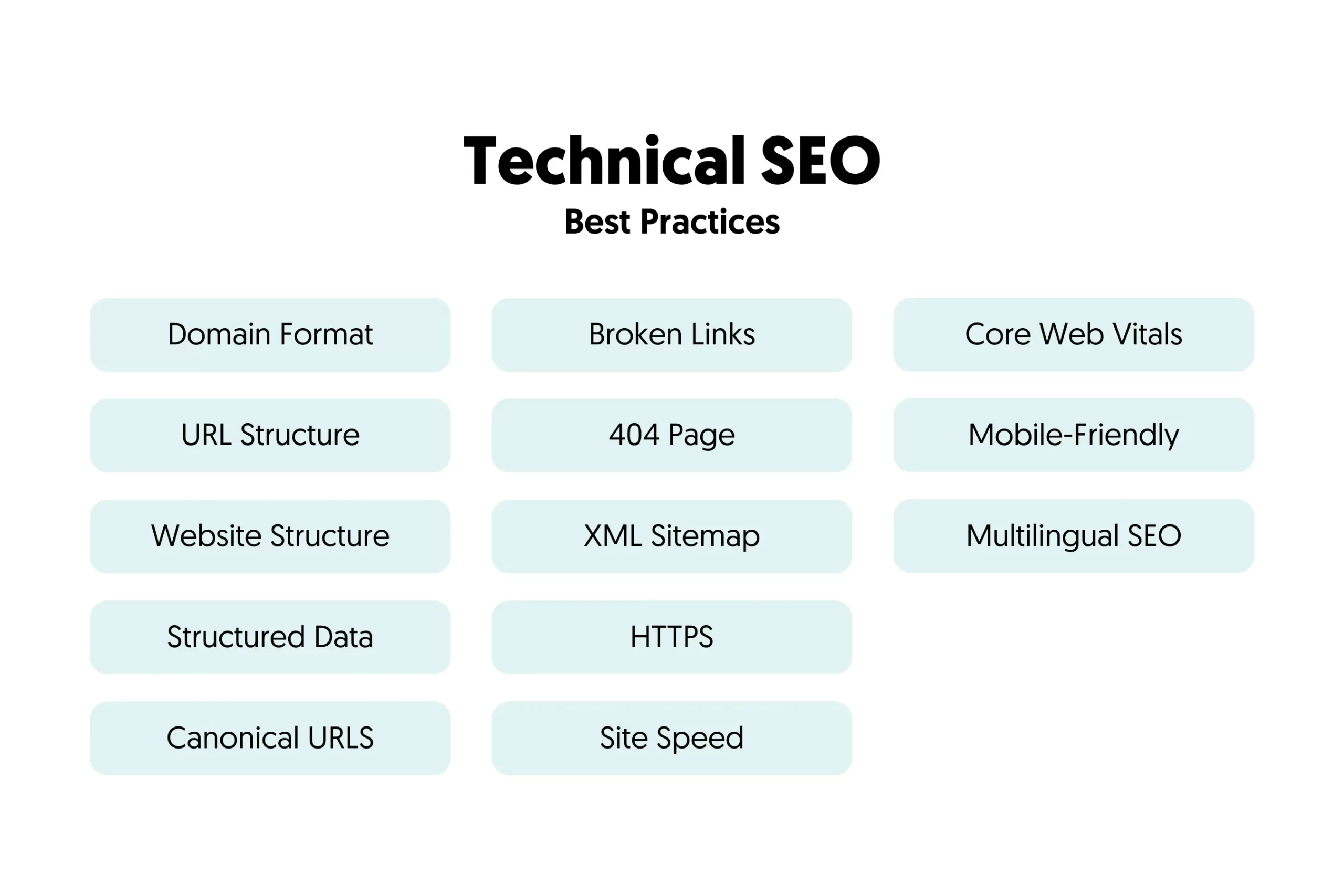
URL structure shows the site hierarchy to search engines. Use clear and descriptive words in URLs. Separate words with hyphens, not underscores. Keep URLs short and easy to read. Include category names to reflect the page’s place.
A good URL example: www.example.com/category/subcategory/page-name. This format helps users and search engines predict page content. Avoid using unnecessary parameters or long strings of numbers.
Implementing Breadcrumbs
Breadcrumbs show the path from the homepage to the current page. They improve navigation by showing users their location. Breadcrumbs also help search engines understand site structure. Use simple text with links separated by symbols like “>.”
Place breadcrumbs near the top of the page. Make sure they match the site’s URL hierarchy. This consistency builds trust with users and search engines. Breadcrumbs reduce bounce rates by encouraging users to explore more pages.
Crawling And Indexing
Crawling and indexing are the first steps search engines take to understand your website. Crawling means search engines scan your site’s pages. Indexing means storing those pages in their database. Both are essential for your site to appear in search results.
Proper control over crawling and indexing helps improve your website’s visibility. You can guide search engines to important content and block unwanted pages. This control also helps avoid duplicate content issues. Below are key techniques to manage crawling and indexing effectively.
Using Robots.txt Effectively
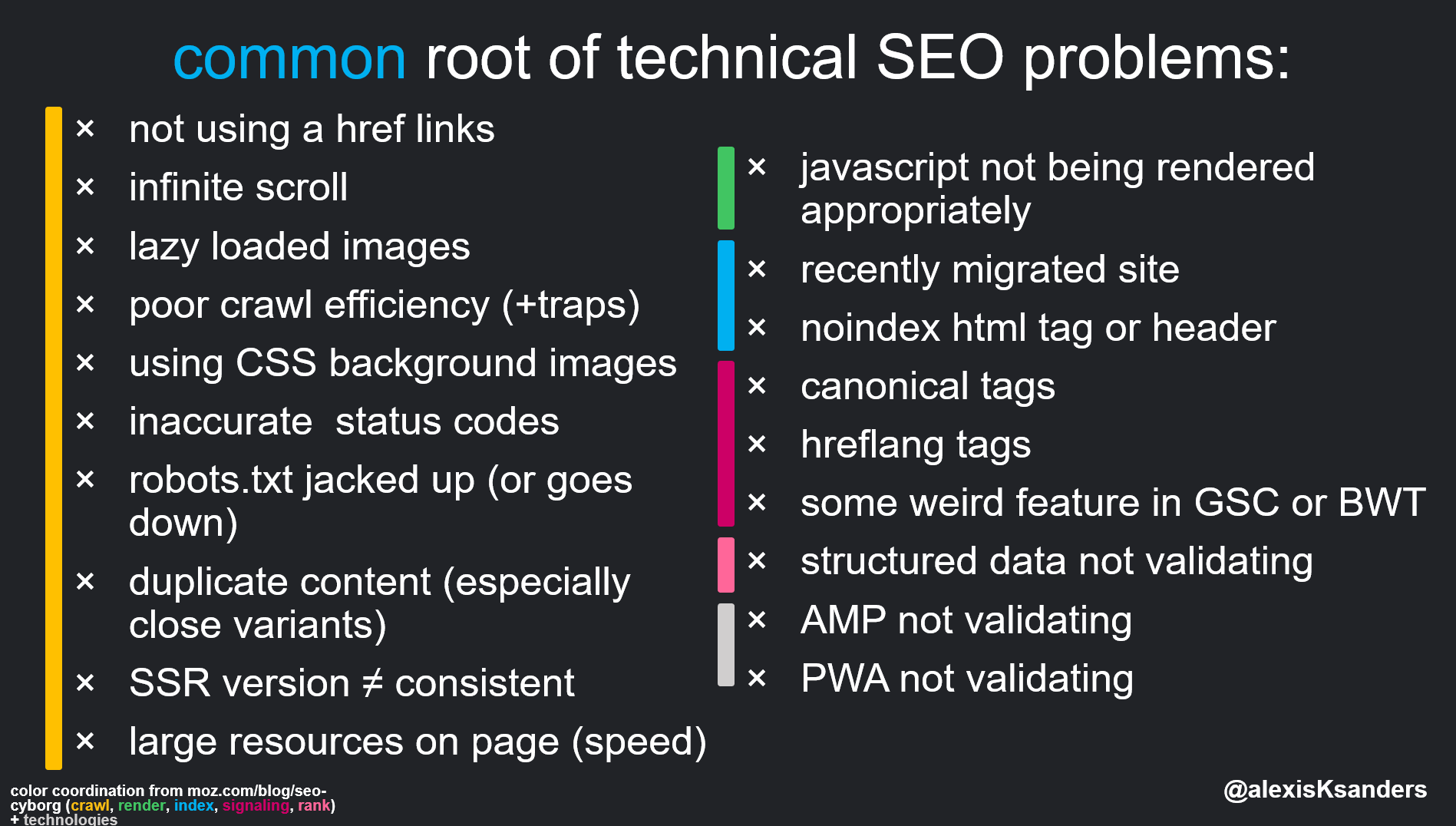
The robots.txt file tells search engines which pages to crawl or skip. Place this file in your website’s root folder. Use simple rules to allow or disallow specific folders or pages.
Block pages that contain duplicate or sensitive information. Avoid blocking important pages by mistake. Test your robots.txt file using online tools to ensure accuracy.
Managing Xml Sitemaps
XML sitemaps list all important pages on your website. Submit your sitemap to search engines like Google Search Console. Keep the sitemap updated with new or changed pages.
Use a clear structure with URLs that return a 200 status code. Remove broken or redirected URLs from your sitemap. A well-maintained sitemap speeds up indexing of your content.
Fixing Crawl Errors
Crawl errors occur when search engines can’t access certain pages. Common errors include 404 not found and server errors. Regularly check for crawl errors in Google Search Console.
Fix broken links by updating or redirecting URLs. Resolve server issues to ensure pages load correctly. Fixing crawl errors improves user experience and search engine trust.
Page Speed Optimization
Page speed affects how visitors see your website. Faster pages keep users happy and reduce bounce rates. Search engines also favor quick-loading sites. Improving page speed is key for better SEO and user experience. Focus on technical tweaks to speed up your site.
Minimizing Http Requests
Each element on a page needs an HTTP request. More requests slow down the site. Reduce requests by combining files like CSS and JavaScript. Use CSS sprites to combine images. Keep the number of elements low for faster loading.
Leveraging Browser Caching
Browser caching stores files locally on users’ devices. This avoids reloading files on repeat visits. Set cache rules for images, scripts, and stylesheets. Use expires headers to control cache duration. Caching saves time and bandwidth.
Optimizing Images And Media
Large images slow down your page. Compress images without losing quality. Use modern formats like WebP for smaller sizes. Resize images to fit their display size. Lazy load images and videos to delay loading until needed.
Mobile Seo
Mobile SEO is essential for websites today. More people use phones to browse the internet than desktops. Search engines give priority to mobile-friendly sites. Optimizing your site for mobile helps reach more users and rank higher in search results.
Responsive Design Best Practices
Responsive design adapts your website layout to fit any screen size. Use flexible grids and images that resize automatically. Avoid fixed-width elements that break on small screens. Test your site on multiple devices to ensure it looks good everywhere. Simple navigation and readable text improve mobile usability.
Improving Mobile Page Speed
Page speed is crucial on mobile devices. Slow pages cause visitors to leave quickly. Compress images to reduce load time. Minimize code by removing unnecessary scripts and styles. Use browser caching to speed up repeat visits. Fast-loading pages improve user experience and search rankings.
Enhancing User Experience On Mobile
Mobile users expect easy and quick interactions. Make buttons large enough to tap easily. Avoid pop-ups that block content or slow down the site. Use clear fonts and enough spacing for readability. Ensure forms are simple and easy to fill out. Smooth user experience keeps visitors engaged longer.
Structured Data
Structured data helps search engines understand your website content better. It uses a special code to label important information. This improves how your site appears in search results. Search engines can show extra details, making your listing more attractive. Proper use of structured data can increase your website’s visibility and click rates.
Implementing Schema Markup
Schema markup is a type of structured data. It uses a specific vocabulary to describe your content. You add this code to your website’s HTML. Common types include articles, products, events, and reviews. This helps search engines read and display your content clearly. Use online tools or plugins to add schema easily. Keep your markup accurate and relevant to your page.
Using Rich Snippets
Rich snippets show extra details in search results. These can be star ratings, images, or event dates. They attract users by making your listing stand out. Rich snippets come from the schema markup on your page. They provide quick information without clicking the link. Adding rich snippets can boost your site’s traffic. Focus on the most useful data for your audience.
Testing Structured Data
Testing ensures your structured data works correctly. Use Google’s Rich Results Test tool to check your markup. It highlights errors and warnings you need to fix. Correct structured data helps avoid penalties from search engines. Test new pages before publishing them live. Regular checks keep your website’s SEO strong and effective.
Https And Security
HTTPS and website security are essential for any online business. HTTPS protects user data by encrypting the connection between browsers and servers. It builds trust with visitors and prevents hackers from stealing sensitive information. Search engines also prefer secure sites, making HTTPS a key part of technical SEO.
Migrating To Https
Switching from HTTP to HTTPS requires a valid SSL certificate. Purchase the certificate from a trusted provider or get a free one from Let’s Encrypt. Install the SSL on your web server to enable encryption. Update all internal links and resources to use HTTPS URLs. Set up 301 redirects from HTTP pages to their HTTPS versions. This helps preserve your site’s traffic and search rankings during the switch.
Ensuring Website Security
Beyond HTTPS, website security needs constant attention. Keep your CMS, plugins, and themes up to date. Use strong passwords and two-factor authentication for admin accounts. Regularly scan your site for malware and vulnerabilities. Secure your server with firewalls and security patches. Back up your website often to recover quickly from any attacks.
Impact On Rankings
HTTPS is a confirmed ranking factor by Google. Secure sites have better chances of ranking higher in search results. Visitors also trust HTTPS sites more, increasing click-through rates. Not having HTTPS can lead to warnings in browsers, pushing users away. Overall, HTTPS improves both SEO and user experience.
Duplicate Content Issues
Duplicate content issues can hurt your website’s search rankings. Search engines may get confused by multiple pages with the same content. This can split your page authority and reduce your overall SEO performance. Fixing duplicate content helps search engines understand which page to rank.
Identifying Duplicate Pages
Start by scanning your site for pages with similar or identical content. Tools like Google Search Console or third-party SEO software can help. Look for repeated titles, meta descriptions, or body text. Check for near-duplicate pages caused by printer-friendly versions or session IDs.
Using Canonical Tags
Canonical tags tell search engines which page is the main version. Add a canonical link element in the section of duplicate pages. This points to the preferred URL. It helps consolidate ranking signals and avoids content duplication penalties.
Managing Url Parameters
URL parameters can create multiple versions of the same page. Examples include tracking codes or sorting options. Use Google Search Console to set parameter handling rules. This guides search engines to treat parameter URLs as one page. It improves crawl efficiency and avoids duplicate content.
Technical Seo Tools
Technical SEO tools help improve website health and search rankings. They check your site’s structure, speed, and errors. These tools give clear data to fix issues fast. Using the right tools makes SEO tasks easier and more effective.
Site Audit Tools
Site audit tools scan your website to find SEO problems. They check links, tags, and content quality. These tools show what stops your site from ranking well. Regular audits keep your website clean and search-friendly.
Performance Monitoring
Performance monitoring tools track your website’s speed and uptime. Fast sites rank better and keep visitors happy. These tools help spot slow pages and fix them quickly. Monitoring ensures your site runs smoothly all the time.
Error Detection
Error detection tools find broken links and coding mistakes. Fixing errors stops search engines from lowering your rank. These tools highlight issues like missing tags or duplicate content. Quick error fixes improve user experience and SEO.
Frequently Asked Questions
What Is Technical Seo And Why Is It Important?
Technical SEO involves optimizing website infrastructure for search engines. It ensures better crawling, indexing, and improved site performance. This boosts rankings, user experience, and organic traffic, making it essential for effective SEO strategies.
How Does Site Speed Affect Technical Seo?
Site speed impacts user experience and search rankings. Faster sites reduce bounce rates and improve crawl efficiency. Optimizing images, using caching, and minimizing code can significantly enhance site speed and SEO performance.
What Role Does Mobile-friendliness Play In Technical Seo?
Mobile-friendliness ensures your site works well on all devices. Google prioritizes mobile-first indexing, so responsive design improves rankings and user engagement. It’s crucial for reaching a broader audience and enhancing SEO results.
How Can I Fix Crawl Errors For Better Seo?
Crawl errors hinder search engine indexing and ranking. Use tools like Google Search Console to identify errors. Fix broken links, update sitemaps, and ensure proper redirects to improve crawlability and SEO health.
Conclusion
Technical SEO helps search engines find and read your website easily. Fixing errors and improving speed makes visitors stay longer. Use clear URLs, fast loading times, and mobile-friendly design. Check your site regularly to keep it healthy. Small changes can bring steady growth over time.
Keep learning and applying these tips for better results. Your website will perform well and reach more people. Simple steps lead to strong online presence. Stay patient and consistent with your efforts. Success comes from steady work, not quick fixes.