
Is your business website getting lots of visitors but very few real customers? Many business owners in Bangladesh and around the world face this problem. You invest money in a beautiful website, but the sales, calls, or leads you expect do not come. The problem is not always the design. Often, the website is not built for conversion.
Conversion means turning your website visitors into paying customers. It can be a sale, a phone call, a message, or even a form filled out. If your website is not converting, you are losing money every day.
The good news? You can fix this with a smart website redesign. By focusing on what your visitors want, and removing what stops them from taking action, you can increase your sales—sometimes by 2x or even 5x!
In this article, you will learn simple, practical steps to redesign your website for better conversion. You will also see real examples, tips for both Bangladeshi and international markets, and how a trusted company like One Stop IT Solutions can help you succeed.
Why Website Conversion Matters For Your Business
Many business owners spend money on ads, SEO, and social media to bring people to their website. But if your website cannot turn visitors into customers, all this effort is wasted.
A website with high conversion means:
- More sales and profit without increasing your marketing cost
- Better ROI (Return On Investment) from every Taka or Dollar spent
- Happy visitors who become loyal customers
For example, if you get 1,000 visitors a month and 10 of them buy, your conversion rate is 1%. If, after a redesign, you get 30 sales from the same 1,000 visitors, your rate is now 3%. That is a 200% increase with no extra ad spend.
Let’s break this down. Imagine you spend 10,000 BDT each month on ads. With a 1% conversion rate, you get 10 sales. Each sale costs you 1,000 BDT in advertising. If you increase conversion to 3%, you get 30 sales.
Now, each sale costs only about 333 BDT. You save money, or you can spend the same budget to grow even more.
Also, a high-converting website helps you build a strong brand. Visitors who find your site easy to use and trustworthy are more likely to recommend you to friends. This kind of word-of-mouth is powerful—especially in Bangladesh, where personal recommendations carry a lot of weight.
Another key point: A high conversion website collects more leads or customer data. You can build an email list, which lets you market to people again and again for free. This means your business can grow even if you stop spending on ads.
Lastly, many business owners focus too much on traffic and not enough on conversion. Imagine your website is like a shop. If 100 people enter and only one buys, something is wrong. Fixing your website’s conversion rate is like making the shop more welcoming, easier to buy from, and more trusted.
It’s a smart way to grow without always spending more money.
Signs Your Website Needs A Redesign
Not sure if you need a redesign? Look for these signs:
- Your website looks old or unprofessional
- Loading speed is slow (more than 3 seconds)
- Not mobile-friendly (bad experience on phone)
- Confusing navigation—people can’t find what they need
- High bounce rate (people leave quickly)
- Few leads or sales, even with good traffic
- Hard to update content or add new features
Let’s look closer at each point:
1. Your website looks old or unprofessional:
People judge your business in seconds. If your site uses outdated fonts, colors, or layout, visitors may think your business is not serious or trustworthy. Even small things like blurry logos, broken images, or old copyright years can make a big difference.
2. Loading speed is slow (more than 3 seconds):
Internet speed in Bangladesh is improving, but many people still use 3G or slower connections. If your website takes too long to load, people will leave before they even see your products.
3. Not mobile-friendly:
Most Bangladeshi users browse on their phones. If your site is hard to read, buttons are too small, or images are cut off on mobile, you are losing customers.
4. Confusing navigation:
If visitors can’t find your products, services, or contact page, they will not waste time searching. They will leave and go to your competitor.
5. High bounce rate:
If your analytics show that most people leave after only viewing one page, it’s a red flag. Something is stopping them from exploring more.
6. Few leads or sales, even with good traffic:
You are getting visitors, but nobody is calling, messaging, or buying. This means your site is not convincing or easy to use.
7. Hard to update content or add new features:
If you need a developer just to change a phone number or add a photo, your site is not flexible. Modern websites should let you update content easily.
Remember, you do not need to see all these signs to consider a redesign. Even one or two can hold your business back.
Step-by-step Guide: How To Redesign Your Website For Better Conversion
1. Set Clear Business Goals
Before starting, ask: What do you want your visitors to do? Buy a product? Call you? Fill a form?
Example: A Dhaka-based clothing store wants more online sales. A B2B logistics company wants more quote requests.
Write down your main goals. Every part of your website should help visitors reach these goals easily.
Go deeper by making your goals measurable. For example:
- “Increase monthly online sales from 20 to 50”
- “Get 100 quote requests per month”
- “Collect 500 newsletter signups every quarter”
Setting specific goals helps you measure success after the redesign. It also helps your web developer know what to focus on.
Discuss these goals with your team. Sometimes, different team members see different priorities. For example, your sales team may want more leads, while your support team wants fewer calls about simple issues. Balancing these needs creates a better website for everyone.
Also, consider both short-term and long-term goals. Short-term: more sales this month. Long-term: build a strong brand, become a market leader, or expand to new markets.
2. Understand Your Target Audience
Different markets have different needs. Bangladeshi customers may prefer WhatsApp or mobile call, while international clients may want email or online chat.
Tips:
- Use simple English for global reach
- Add Bangla support if your main market is local
- Check what devices (mobile/desktop) your visitors use most
Go beyond basic demographics. Think about your customers’ age, job, location, and tech comfort. Are they mostly young people who shop on mobile? Or business owners who use laptops? Do they prefer to read or watch videos? Are they price-sensitive, or do they want premium service?
Example:
If your audience is mostly women aged 25-40 in Dhaka, focus on easy mobile shopping, clear size guides, and WhatsApp support. If you sell to European clients, focus on professional language, detailed product specs, and international shipping info.
Ask your existing customers how they found you, what they liked or disliked, and what would make them buy again. Use online surveys, social media polls, or simple phone calls.
Check your website analytics. Google Analytics shows which countries, devices, and browsers people use. If 80% use Android phones, your site must work well on those devices.
Another beginner tip: Study competitors who are succeeding. What language, images, and offers do they use? How do they structure their homepage? You do not have to copy, but you can learn what works for your audience.
3. Analyze Your Current Website Data
Use tools like Google Analytics or Hotjar to see:
- Where visitors drop off (exit pages)
- Which pages get most traffic
- Which buttons get clicks
This data tells you what to fix first.
Step-by-step example:
- Check your most visited pages. If your “Contact Us” page gets many views but few messages, maybe the form is too long or not working.
- Look for pages with high exit rates. If many people leave after visiting your “Pricing” page, maybe your prices are not clear or too high. Or maybe you need more benefits listed.
- Use “heatmaps” (from Hotjar or similar tools) to see where people actually click. Sometimes, people try to click on images or text that are not clickable. You can turn those into buttons for better conversion.
- Track which traffic sources bring the best leads. For example, maybe your Facebook ads bring lots of visitors, but Google search brings visitors who actually buy. This helps you focus your marketing.
Do not guess—let real user data guide your redesign.
4. Improve Your Website Speed
Slow websites lose visitors fast. Studies show that if your site takes more than 3 seconds to load, over 50% of people will leave.
How to speed up:
- Compress images
- Use a fast, secure server (local or cloud hosting)
- Remove unused plugins and scripts
One Stop IT Solutions offers hosting and speed optimization for businesses in Bangladesh and worldwide.
Extra tips:
- Use image formats like WebP or optimized JPEGs. Tools like TinyPNG can help.
- Use a Content Delivery Network (CDN) if you have visitors from many countries. This stores copies of your site closer to users for faster loading.
- Limit the number of fonts and animations. Too many fancy effects slow down your site.
- Check your website speed using tools like Google PageSpeed Insights or GTmetrix. These tools give you a score and suggest what to fix.
Example:
A Dhaka-based jewelry shop had large, high-quality photos on their homepage. But these images were 5MB each! After compressing to 200KB, their site loaded in 1. 5 seconds instead of 9 seconds, and sales went up.
Never ignore speed—faster sites always convert better.
5. Make Your Website Mobile-friendly
Over 70% of users in Bangladesh use mobile to browse. Google also ranks mobile-friendly sites higher.
Key points:
- Use responsive design (site adjusts to any screen)
- Big, easy-to-tap buttons
- Simple menus
Test your site on different devices before launching.
Extra advice:
- Avoid small text. Make sure all writing is readable without zooming.
- Keep forms short and easy to fill on a phone. Use dropdowns and checkboxes instead of typing where possible.
- Place important buttons (like “Buy Now” or “Call Us”) within easy reach of the thumb—usually at the bottom of the screen.
- Remove pop-ups that cover the whole screen on mobile. These are annoying and can hurt your Google ranking.
You can test mobile-friendliness using Google’s Mobile-Friendly Test tool.
Non-obvious tip:
If you have a shop or office, add a “tap to call” button or a map that opens in Google Maps. Many users want to call or find you fast.
6. Use Clear Call-to-actions (ctas)
A Call-to-Action is a button or link that tells visitors what to do next. Examples: “Buy Now”, “Request a Quote”, “Call Us”.
Tips:
- Place CTAs where people can see them easily
- Use action words: “Get Started”, “Book Free Demo”
- Make buttons a bright, different color
Extra detail:
- Every page should have one main action. Too many options confuse visitors.
- Use benefit-focused CTAs. Instead of “Submit”, try “Get Free Consultation” or “See Today’s Offers”.
- Repeat your main CTA several times—top, middle, and bottom of the page.
- Use urgency or scarcity if it fits your business: “Limited Stock”, “Offer Ends Today”.
Example:
A mobile repair shop in Dhaka changed their main button from “Contact” to “Book Instant Repair”—bookings went up 60%.
Non-obvious insight:
Test different button texts. Sometimes, a small change (“Start Free Trial” vs. “Try Now”) can increase clicks by 20% or more.
7. Simplify Navigation And Structure
If users cannot find what they need, they will leave. Keep menus short and logical.
For example:
- Home | About Us | Services | Portfolio | Blog | Contact
- For e-commerce: Home | Shop | Categories | Offers | Contact
Avoid too many dropdowns or hidden pages.
In-depth advice:
- Use clear, simple words in your menu. Avoid jargon.
- Group similar pages together. For example, put all services under “Services” with short descriptions.
- Keep your most important pages (like Shop or Contact) visible on all devices.
- Add a search bar for larger sites. Make sure it works well.
- Use breadcrumbs (“Home > Shop > Men’s Shoes”) so people always know where they are.
- Avoid making users click more than 2-3 times to find anything.
Example:
A travel agency had 15 menu items with confusing names. After reducing to 6 clear options, their bounce rate dropped, and leads increased by 40%.
8. Build Trust With Social Proof
People trust businesses with proof. Show:
- Customer reviews and ratings
- Case studies or success stories
- Partner or client logos
- Awards or certificates
Example: A Bangladesh export company shows logos of international clients and shipping partners.
More ideas:
- Add video testimonials if possible. Videos feel more real.
- Show “Featured In” logos if you’ve been mentioned in newspapers or TV.
- If you have a big number—like “Trusted by 10,000+ Customers”—show it boldly.
- For B2B, share short stories about how you helped a client succeed.
- If you are new, ask your first customers for feedback. Even 2-3 honest reviews help build trust.
Non-obvious tip:
Translate key testimonials into Bangla and English. Local visitors feel more connected when they see reviews in their language.
9. Make Forms Short And Simple
Long forms scare people away. Only ask for what you really need.
Good form example:
- Name
- Email/Phone
- Message
For e-commerce: Only ask shipping details after adding to cart.
More detail:
- Mark required fields clearly. Do not ask for unnecessary info (like date of birth or company name if not needed).
- Use smart forms. For example, if someone chooses “Request a Call”, show a phone number field.
- Give feedback for errors—tell users what is wrong (“Please enter a valid email”) instead of just “Error”.
- Use auto-fill for address or email if possible.
- After form submission, show a thank you message or send a confirmation email.
Example:
A consulting firm reduced their contact form from 8 fields to 3. Inquiries increased by 70%.
Non-obvious insight:
Test your forms on mobile. Small keyboards and auto-correct can cause mistakes. Make sure everything works smoothly.
10. Use High-quality, Localized Images
Real photos of your team, office, or happy customers work better than stock images, especially for Bangladeshi businesses.
Tips:
- Use images that show your product in real life
- Add captions in both English and Bangla (if possible)
Extra advice:
- Hire a local photographer for a day. Good photos pay for themselves in trust and sales.
- Show people using your product in everyday Bangladeshi life. For example, a clothing brand can show real customers at home, at work, or at a wedding.
- Use before-and-after photos if you offer services (like cleaning, repair, or renovations).
- For B2B, show your team at work, your office, and your equipment.
- Optimize images for web—large files slow down your site.
Example:
A restaurant replaced generic food images with real photos of their dishes and kitchen staff. Online orders doubled in 2 months.
11. Add Live Chat Or Whatsapp Option
Many people prefer quick chat over email. Add Live Chat or a WhatsApp button for instant support.
For Bangladesh: WhatsApp, Messenger, Imo, or direct phone work well.
For global clients: Add live chat or a chatbot for fast answers.
More ideas:
- Place your chat button in the bottom-right corner—this is where most users expect it.
- Use WhatsApp Business for free auto-replies and quick answers.
- If you cannot be online 24/7, use a chatbot for basic questions (“What are your hours?”, “How to order?”).
- For small teams, connect chat to your phone so you can reply on the go.
Non-obvious tip:
Write a friendly greeting message when people open the chat (“Hi! How can we help you today? ”). This increases the chance they will write.
Example:
A small electronics store added WhatsApp chat. Many customers said they chose the store because replies were fast and in Bangla.
12. Highlight Offers And Guarantees
Special discounts, money-back guarantees, or free trials can increase conversion. Show these clearly on your homepage and product/service pages.
Example: “Order now and get free delivery in Dhaka city!”
In-depth advice:
- Use banners or popups for limited-time offers (“Eid Sale: Up to 50% Off!”).
- Show guarantees near your main CTA (“30-Day Money Back Guarantee”).
- For services, offer a free trial or first consultation free.
- Use urgency (“Only 5 left!”) or deadlines (“Offer ends in 24 hours!”) if real.
Example:
A SaaS company added a 14-day free trial. Signups increased 4 times, and many users became paying customers.
Non-obvious insight:
Make sure your offers are believable. Too-good-to-be-true promises reduce trust. Always deliver what you promise.
13. Show Clear Pricing And Packages
Hidden costs reduce trust. List prices, packages, or at least a starting price.
Service Example:
- Web Development: Starting from 20,000 BDT
- SEO Packages: Starting from $150/month
Further detail:
- Use simple tables to compare plans. List what’s included in each package.
- For products, show total price with VAT or shipping included if possible.
- Offer “from” pricing if your service is custom. For example, “Website from 20,000 BDT”.
- If you cannot show full pricing, offer a downloadable price list or “Request a Quote” button.
- Add payment options—bKash, Nagad, card, cash on delivery.
Example:
An online training center listed all course fees and payment methods. Inquiries increased because people felt there were no hidden costs.
Non-obvious insight:
If you serve both local and international customers, show prices in both BDT and USD. This makes your site feel global and user-friendly.
14. Optimize For Seo
A website that is easy to find on Google will get more visitors. Use:
- Simple, clear titles and meta descriptions
- Keywords your customers search for
- Fast-loading, mobile-friendly pages
One Stop IT Solutions is a certified SEO company with experience in both local and international SEO.
Advanced tips:
- Research keywords using Google Keyword Planner or Ubersuggest. Focus on what your customers type, not just what you think.
- Add your city or area for local SEO (“Best IT company in Dhaka”).
- Use headings (H1, H2, H3) to organize your content. Make sure each page has only one H1 tag.
- Add alt text to all images for better SEO and accessibility.
- Keep URLs simple and readable (“/about-us”, not “/page?id=1234”).
- Build internal links. Link related articles or products to each other.
- Create a blog with useful articles, tips, or news. This brings more traffic over time.
Non-obvious insight:
Update your Google My Business profile. This helps you appear in local search and on Google Maps, which brings in local customers.
15. Test, Measure, And Improve
After launch, keep testing:
- Try different CTAs or images
- Use A/B testing for forms or buttons
- Track which changes increase leads or sales
Continuous improvement is the key to long-term success.
How to do it:
- Set up Google Analytics and check your numbers every week.
- Use tools like Google Optimize or VWO for A/B testing. Show half your visitors one button color, half another, and see which works better.
- Ask real customers for feedback—what did they like, what was confusing?
- Keep a “change log”—a simple list of every change you make. This helps you see what worked and what did not.
- Review your results monthly. Make small updates instead of waiting years for another redesign.
Example:
A law firm tested “Contact Us” vs. “Book Free Consultation”. The new text got 30% more clicks.
Non-obvious insight:
Test on slow mobile connections and old devices. Many users do not have the latest phones or fast internet.
Bangladesh Vs International Market: What To Consider
Bangladeshi Market:
- Focus on mobile users
- Bangla content and easy contact options (WhatsApp, phone)
- Highlight cash on delivery or mobile payment methods (bKash, Nagad)
- Use local testimonials and real photos
International Market:
- Show international payment and shipping options
- Add trust badges (SSL, money-back guarantee)
- Use simple, clear English
- Highlight your experience with foreign clients
Let’s dive deeper.
For Bangladesh:
- Many customers trust businesses more if they see photos of the owner, team, or office.
- Local offers work well (“Free home delivery in Dhaka”, “Discount for students”).
- People want to speak to a real person. Add a visible phone number.
- Payment by bKash or cash is often preferred. Make this clear.
For International:
- Add PayPal, Visa/Mastercard, and other global payment methods.
- Show shipping times and costs for each country.
- Add “About Us” in clear English. Foreign clients want to know who you are.
- Show certifications, export licenses, or memberships in trade groups if you have them.
- Use video calls (Zoom, Google Meet) for B2B clients.
Cultural note:
Some images or words that work in Bangladesh may not work abroad. For example, avoid using only Bangla, or images with local-only context, if you want to attract international clients.
Non-obvious insight:
Have separate landing pages for Bangladeshi and foreign visitors. This lets you offer the right language, payment, and contact methods for each market.
A professional agency like One Stop IT Solutions knows how to balance both markets for your growth.
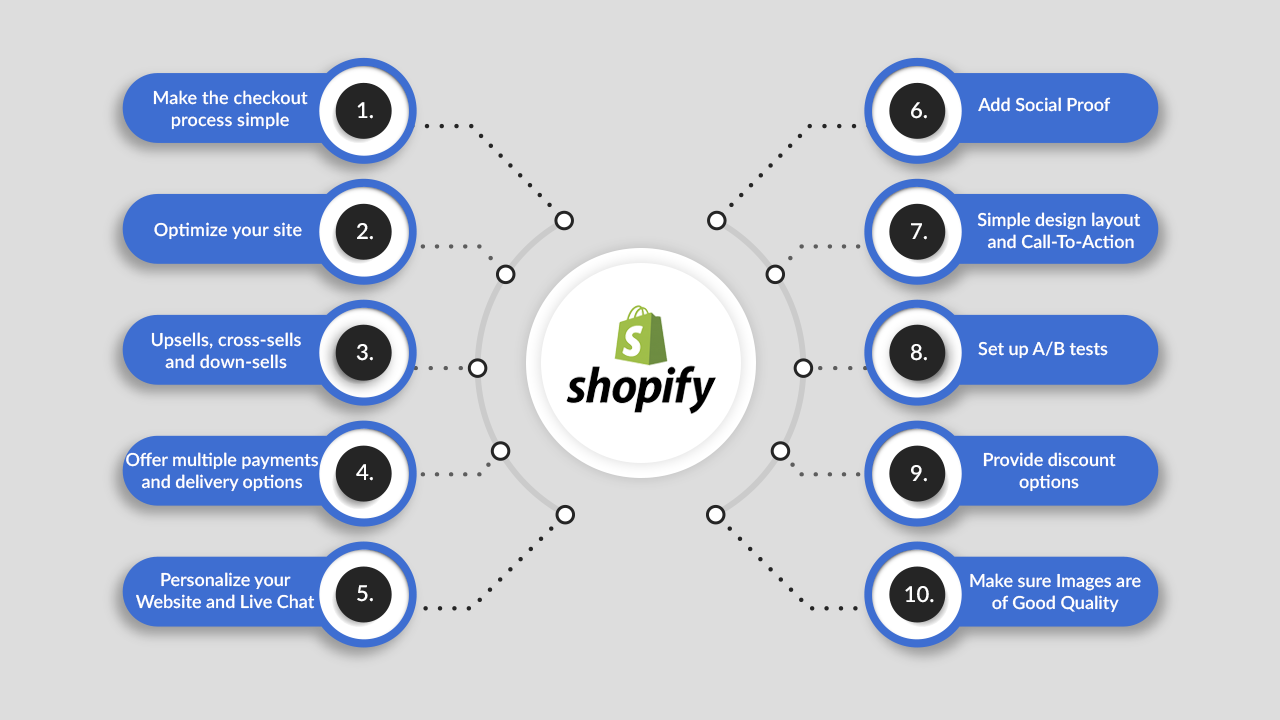
Real-world Example: Website Redesign Case Study
A Dhaka-based electronics store had a nice-looking website but low online sales. Problems found:
- Slow loading time (over 8 seconds)
- No mobile version
- Only had a contact form—no direct call or WhatsApp option
- No reviews or product ratings
After redesign by One Stop IT Solutions:
- Speed improved to under 2 seconds
- Responsive design for all devices
- Added WhatsApp chat and direct call button
- Added customer reviews and ratings
Result: Online sales increased by 250% in 3 months.
Let’s break down how each change helped:
- Speed: Shoppers did not have to wait. More stayed and browsed.
- Mobile version: Users on phones could shop easily, see products, and checkout without zooming or scrolling sideways.
- Direct contact: Many customers preferred to ask questions on WhatsApp before buying. This increased trust and closed more sales.
- Reviews: Seeing other customers’ ratings helped new visitors feel safe buying online.
Extra lesson:
The store also started sending follow-up messages to buyers, asking for reviews and offering a discount on their next purchase. This created a cycle of happy customers and more sales.
Comparison: Old Website Vs. Conversion-focused Redesign
Here is a simple comparison between a typical old website and a new, conversion-focused website.
| Feature | Old Website | Redesigned Website |
|---|---|---|
| Loading Speed | 6-10 seconds | 2-3 seconds |
| Mobile Friendly | No | Yes |
| Contact Options | Only Email Form | Email, WhatsApp, Phone, Chat |
| SEO Optimization | Poor | Excellent |
| Trust Signals | None | Reviews, Badges, Case Studies |
Detailed Analysis:
- Old Website: Looks okay but is slow, hard to use on mobile, and only offers one way to contact. No social proof. Not optimized for Google, so it gets less traffic.
- Redesigned Website: Fast, works everywhere, offers many contact options, and builds trust with reviews and clear info. Ranks higher on Google, so more people find it.
Non-obvious insight:
Even small businesses can look “big” and trustworthy with the right website structure. You do not need a huge budget—just smart design and content.
Cost Vs. Value: Why Invest In A Professional Redesign?
Some business owners try to save money with a cheap redesign. But if your new site still does not convert, you waste more money in the long run.
Investing in a professional redesign means:
- Better user experience, which builds trust
- More leads and sales, higher profits
- Fewer technical problems and support issues
One Stop IT Solutions offers affordable packages for both small and large businesses, so you get the best value for your investment.
Extra explanation:
- Cheap sites often use free templates, slow hosting, and little attention to detail. They may look good at first, but often break, load slowly, or cannot be found on Google.
- A professional team will plan your site, research your audience, and test everything before launch.
- You save time. Instead of fixing problems or chasing your developer, you focus on your business.
- A good site needs fewer updates and support calls, saving you money over time.
- With better conversion, even a small increase in sales can pay for your redesign in a few months.
Example:
A company invested 50,000 BDT in a redesign and increased monthly sales by 60,000 BDT. The redesign paid for itself in the first month.
Non-obvious tip:
Ask your web partner about support and maintenance. Cheap sites often do not include updates or help when things break.
Checklist: Must-haves For High Conversion Website
- Fast, mobile-friendly design
- Clear CTA buttons
- Easy navigation
- Social proof (reviews, logos)
- Multiple contact methods
- SEO optimized content
- Simple forms
- Local payment/delivery options (for Bangladesh)
- International shipping/payment info (for global clients)
- Security badges and privacy policy
Why each matters:
- Fast design: Keeps visitors from leaving.
- CTA buttons: Guide users to take action.
- Easy navigation: Reduces frustration and increases time on site.
- Social proof: Builds trust with new customers.
- Multiple contacts: Lets users pick what they like.
- SEO content: Brings in free, targeted visitors.
- Simple forms: Makes it easy to connect or buy.
- Local options: Meets Bangladeshi needs (bKash, cash).
- International info: Builds trust with foreign clients.
- Security: Shows you protect customer data.
Extra tip:
Review this checklist before launching or updating your site. Missing just one point can lower your conversion.
Choosing The Right Partner For Website Redesign
You need a partner who understands both web development and digital marketing. Many designers can make a good-looking site. But only a few know how to build for conversion.
Why choose One Stop IT Solutions?
- 10+ years of experience in Bangladesh and global markets
- Trusted by 500+ clients
- Affordable, transparent pricing
- Expert in SEO, e-commerce, and custom web solutions
- Friendly support in both English and Bangla
See their work: Visit [onestopitbd.com](https://darkblue-curlew-445621.hostingersite.com)
Extra points to consider:
- Ask for case studies or examples of similar projects.
- Check client reviews or speak to past clients.
- Look for a team that asks about your business goals, not just what colors you like.
- Ask about ongoing support, not just launch.
- Make sure you get full access to your website and content after launch.
Non-obvious insight:
Choose a partner who explains things in simple language and gives you control. Some agencies “lock in” clients by hiding logins or making updates hard.
Common Mistakes To Avoid During Redesign
- Ignoring mobile users
- Too many pop-ups or ads
- Using too much text, not enough visuals
- Not testing before launch
- Copying competitors without understanding your own audience
More detail:
- Ignoring mobile users: Most traffic is mobile. If your site only looks good on desktop, you lose over half your audience.
- Too many pop-ups or ads: These annoy users. Use only one, and make it easy to close.
- Too much text: Large blocks of text are hard to read. Use images, icons, and short paragraphs.
- Not testing: Always check your site on different phones, browsers, and internet speeds.
- Copying competitors: What works for them may not work for you. Focus on your own customers and brand.
Non-obvious mistake:
Launching with “dummy” content or broken links. Always check that every page is finished and live.
Website Redesign Timeline: What To Expect
Every project is unique, but here is a typical timeline:
| Stage | Time Needed | Key Activities |
|---|---|---|
| Planning | 1 week | Goals, audience, content audit |
| Design & Prototype | 2 weeks | Wireframes, sample pages, feedback |
| Development | 2-3 weeks | Coding, speed, mobile testing |
| Testing & Launch | 1 week | Bug fixes, A/B test, go live |
Total: About 5-7 weeks for most business websites.
More detail:
- Planning: Meet with your agency. Discuss what works now, what does not, and your goals. Gather all content (text, images, prices).
- Design: The team shares visuals or clickable samples. You give feedback. Make changes before coding.
- Development: The site is built. Content is added. Speed and mobile tests are done.
- Testing: Try everything—forms, payments, images, links. Fix any errors.
- Launch: Go live. Announce on social media, email, and ads. Monitor closely for any issues.
Non-obvious insight:
Allow time for feedback and changes. Rushing leads to mistakes and missed opportunities.
Measuring Success: How To Track Conversion Improvement
After launch, track these key numbers:
- Conversion rate (sales, leads per 100 visitors)
- Bounce rate (how many leave after 1 page)
- Average time on site
- Source of best leads (organic, ads, social)
Use tools like Google Analytics and heatmaps to see real user behavior.
How to improve:
- Set up goals in Google Analytics (like contact form submissions, sales, or newsletter signups).
- Review your numbers weekly. Look for sudden drops or improvements.
- Use heatmaps to see where people click or scroll. If most do not reach the bottom, move important info higher.
- Collect customer feedback after purchase or contact. Ask what was easy or confusing.
- Compare your numbers before and after the redesign. Look for increases in conversion, lower bounce rate, and more time spent on site.
Non-obvious insight:
Track your numbers for at least 3 months. Some changes take time as Google re-indexes your site and users adjust.
Two Insights Most Beginners Miss
- Conversion is not only design. It’s about understanding your customer’s journey and removing all friction. Even a simple site can convert well if it’s focused and clear.
- Example: Many big companies use very simple sites—plain colors, few images, one main button—because this works.
- Focus on what your customer wants to do, and make that as easy as possible.
- Continuous improvement wins. The best websites are always testing, learning, and updating. Set aside a small budget for ongoing changes, not just a one-time redesign.
- Example: Top e-commerce sites change their homepage every week based on user data.
- Keep a “wish list” of ideas. Test one at a time and measure results.
Bonus:
A high-converting website is a business asset. It works for you 24/7, bringing in leads and sales even when you sleep.
Frequently Asked Questions
1. How Long Does A Website Redesign Take?
Most business website redesigns take 4 to 8 weeks, depending on the size and features needed. Simple sites may be ready in 3 weeks. Big e-commerce or international projects take more time, especially if you want custom features or multi-language support.
Extra detail:
Allow more time if you need new content, photos, or translations. Fast projects often cut corners—quality takes time.
2. Will I Lose My Google Ranking After A Redesign?
If done correctly, your ranking should improve because your new site will be faster, mobile-friendly, and better for users. However, poor migration can cause problems. Always use a professional company like One Stop IT Solutions to manage SEO during redesign.
Tips:
- Keep old URLs or use proper redirects (301).
- Submit your new sitemap to Google Search Console.
- Update your Google My Business and social profiles with your new site.
3. How Much Does A Website Redesign Cost In Bangladesh?
Prices vary by features and quality. A basic business site may start from 20,000 BDT, while advanced e-commerce or international sites can be 1,00,000 BDT or more. One Stop IT Solutions offers packages for every budget. Always ask for a clear quote before starting.
Extra factors affecting cost:
- Number of pages
- Custom features (e-commerce, booking, payments)
- Multi-language support
- SEO and speed optimization
- Ongoing support
4. Can I Keep My Old Content And Images?
Yes, you can keep your old content if it’s still correct and useful. But sometimes, updating text and images makes your site look fresh and more effective for conversion. Your redesign team will guide you on what to keep and what to improve.
Advice:
- Refresh your top pages with new images and better headlines.
- Remove outdated offers or information.
- Add new reviews, team members, or case studies.
5. Why Should I Choose One Stop It Solutions For My Redesign Project?
One Stop IT Solutions is a trusted, affordable, and expert web development and SEO company with 10+ years of experience. They know how to balance design, marketing, and technology for both Bangladeshi and international clients. Friendly support and clear pricing make them a top choice for growing your business online.
Extra reassurance:
You work with a team that explains everything in simple terms, offers ongoing support, and gives you full control of your site.
For more information on web conversion and digital marketing, you can read this helpful guide from Crazy Egg.
Ready to increase your sales and leads with a high-converting website?
Contact The Experts At One Stop It Solutions Today!
👉 Website: [onestopitbd.com](https://darkblue-curlew-445621.hostingersite.com)
👉 Email: Contact@darkblue-curlew-445621.hostingersite.com
👉 Whatsapp: +8801914119584
Grow your business faster with a website that works for you—locally and globally!