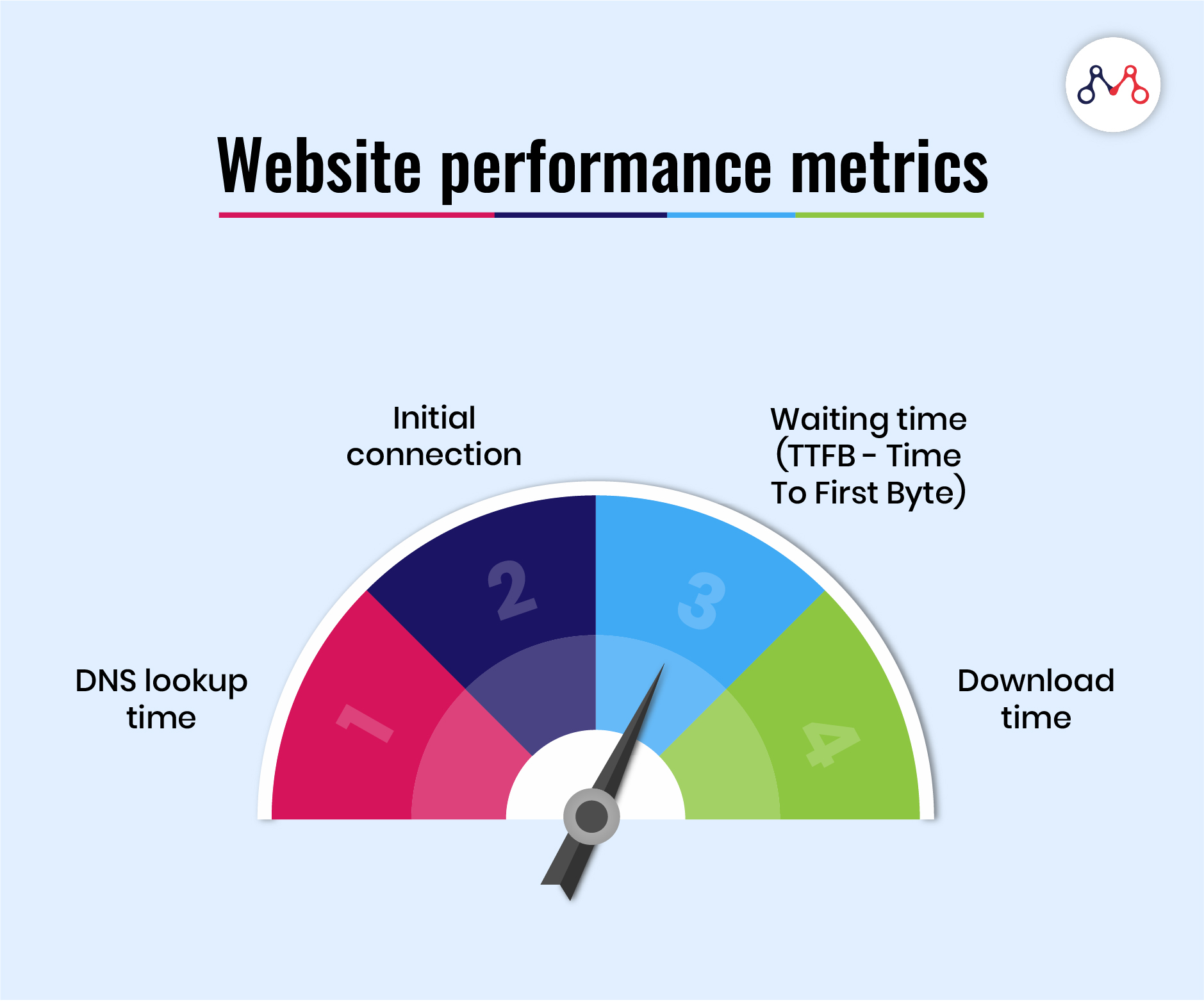
Today’s business world is fast. Customers do not wait for slow websites. If your website loads slowly, you lose sales, trust, and ranking. Many business owners in Bangladesh and around the world face this problem. But the solution is not complicated.
You can fix your website speed and performance with the right steps.
In this guide, you will learn simple ways to make your website faster and smoother. These tips work for both Bangladeshi and international businesses. You will also see real examples and practical advice. If you want a trusted partner, One Stop IT Solutions is here to help you with expert web development and SEO.
Why Website Performance Matters
A fast website is not just about user experience. It affects your whole business.
- Customer retention: People leave slow websites. Studies show that if a site takes more than 3 seconds to load, over 40% of users will exit.
- Sales and conversion: Faster sites get more sales. Amazon found that every extra 100 milliseconds of load time reduced sales by 1%.
- SEO ranking: Google gives priority to fast-loading websites. Speed affects your position in search results.
- Trust and brand image: A smooth website builds confidence among customers.
Let’s dig deeper into why speed is so important:
User Expectations
People today are used to instant results. When they click a link, they expect the page to appear right away. If your site takes time to load, they will quickly press the back button and go to a competitor. In Bangladesh, where mobile internet can sometimes be slow, every second counts even more.
Impact On Sales
Imagine you own an online shop selling clothes. If your site is fast, a visitor can quickly browse products, add to cart, and buy. But if images take time to load or the checkout page is slow, they may leave before buying.
Big companies like Amazon, Walmart, and Alibaba invest millions in speed because they know it directly affects their bottom line.
Seo And Visibility
Google’s algorithms are smart. They measure how fast your site loads and how users interact with it. If people visit and leave quickly, Google thinks your content is not useful. This will push your site lower in the search results, making it harder for new customers to find you.
Building Trust
A fast website feels professional. It shows you care about your business and your customers’ experience. Slow or broken websites make customers worry about security and quality.
Real-world Example
A study by Google showed that as page load time goes from 1 to 5 seconds, the chance of a visitor leaving increases by 90%. This means that every second you save brings you closer to your business goals.
If your website is slow, you are losing money, customers, and ranking. Let’s see how to fix this.
Signs Your Website Needs Optimization
It’s not always easy to know if your website is slow, especially if you have a fast internet connection or visit your own site often. Here are clear signs you should look for:
1. Slow Loading Time
If your website takes more than 3 seconds to load, you need to optimize it. Use tools like GTmetrix or Google PageSpeed Insights to check your speed.
How To Check
- Open your website in an “Incognito” or “Private” browser window.
- Use [GTmetrix](https: //gtmetrix.com/) or [Google PageSpeed Insights](https://pagespeed.web.dev/).
- Enter your website address and see the results.
- Check both desktop and mobile results.
What To Look For
- “Fully loaded time” or “First contentful paint” should be under 3 seconds.
- If your site has many big images, sliders, or videos, the load time can increase.
Non-obvious Insight
Sometimes, your homepage is fast but product or blog pages are slow. Test different pages, not just your homepage.
2. High Bounce Rate
If many visitors leave your site quickly, it can be due to slow speed or poor user experience.
How To Check
- Use Google Analytics to see your “bounce rate.”
- A bounce rate above 50% can be a sign of trouble (though this depends on your industry).
Example
If you run an online electronics store and see a 70% bounce rate, it probably means users are leaving before finding what they want—often due to speed.
Non-obvious Insight
A high bounce rate does not always mean your whole site is bad. Sometimes, only one or two pages are slow or broken. Find the problem pages and fix them first.
3. Low Mobile Performance
Many users browse websites on mobile. If your site is not mobile-friendly or loads slowly on phones, you lose potential customers.
Signs Of Poor Mobile Performance
- Site looks broken or elements are too small to tap.
- Images or buttons do not fit the screen.
- Pages take a long time to load on mobile data.
Tools
- Google’s [Mobile-Friendly Test](https: //search.google.com/test/mobile-friendly) can help you check your site.
Non-obvious Insight
A site may look OK on your phone but load slowly on older phones or 3G/4G connections. Always test on different devices and networks.
4. Poor Seo Results
If your website is not ranking well, performance issues can be a reason.
How To Check
- Search for your main keywords in Google. Where does your site appear?
- Use tools like Ahrefs, SEMrush, or Moz to monitor your ranking.
Example
If you run a travel agency in Dhaka and your site is on page 3 for “best travel agency Bangladesh,” you may have technical or speed issues.
Non-obvious Insight
Sometimes, your content is great, but technical SEO issues (like slow speed or mobile errors) hold you back. Fixing these can give a quick ranking boost.
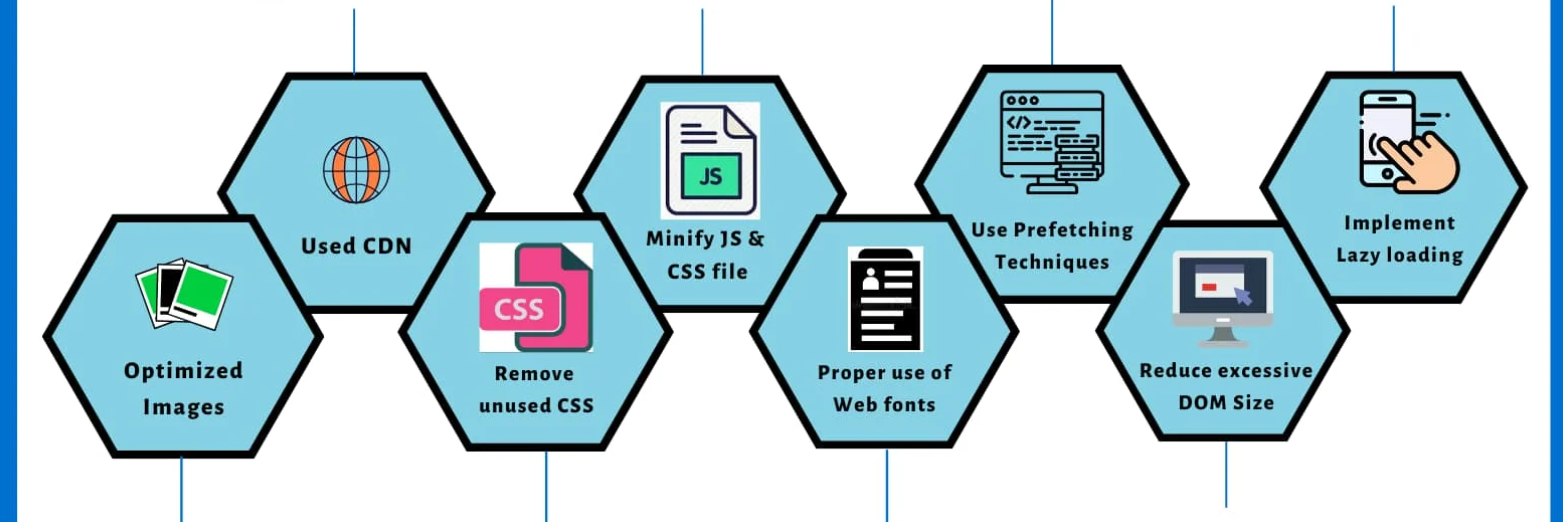
Practical Tips To Optimize Website Performance
Let’s explore the best ways to make your website fast, smooth, and reliable.
1. Choose The Right Hosting
Your hosting provider affects your site speed. Cheap hosting often means slow websites. For Bangladeshi businesses, local hosting can be good, but global hosting providers like SiteGround or Bluehost offer better speed and reliability. One Stop IT Solutions helps you choose the best hosting for your needs.
Types Of Hosting
- Shared Hosting: Cheap but slow. Many sites share one server.
- VPS (Virtual Private Server): Faster, more control.
- Cloud Hosting: Scalable, reliable. Good for growing businesses.
- Dedicated Hosting: Highest performance, but expensive.
Practical Example
If you use cheap shared hosting, your site may slow down during busy times. Upgrading to cloud hosting can handle more visitors without problems.
Non-obvious Insight
Check the location of your server. If your customers are in Bangladesh, but your server is in the US, local users may experience delays. Some hosting companies let you choose server location.
Tips
- Look for hosting with SSD (solid-state drive) storage for faster data access.
- Ask about uptime guarantees (99.9% or higher is good).
- Check if the hosting offers automatic backups and security.
2. Use A Content Delivery Network (cdn)
A CDN stores your website files in different locations worldwide. When a user visits your site, the CDN sends files from the nearest server. This reduces load time for both local and international visitors.
Example
If your business targets customers in Bangladesh and the US, a CDN will deliver your site quickly in both places.
How It Works
- Your website’s images, scripts, and styles are copied to different “edge” servers.
- When someone visits, they get the files from the nearest location.
- This reduces delays caused by distance.
Popular Cdns
- Cloudflare
- Amazon CloudFront
- KeyCDN
Non-obvious Insight
CDNs also protect against some cyber attacks (like DDoS) and can reduce server load during high traffic.
Practical Tip
Many CDN services offer a free plan for small websites. Even adding a basic CDN can make a big difference.
3. Optimize Images
Large images slow down your website. Always compress images before uploading. Use formats like JPEG or WebP, which are smaller but still look good.
Tips
- Use free tools like TinyPNG or ImageOptim.
- Do not upload images bigger than you need.
- Add “alt” text for SEO.
How To Choose The Right Format
- JPEG: Good for photos and complex images.
- PNG: Good for logos, icons, or images with transparency.
- WebP: New format, very small size, supported by modern browsers.
Practical Example
Suppose you upload a banner image at 5MB. Compressing it to 200KB makes the page load much faster with little loss in quality.
Non-obvious Insight
Some website builders or CMSs (like WordPress) create several versions of the same image. Check your media library and delete unused images.
4. Minimize Http Requests
Every file (CSS, JS, images) is a request. More requests mean slower load. Combine files and remove unnecessary scripts.
Example
If your homepage has 20 images and 10 scripts, reduce them to only what is essential.
How To Reduce Requests
- Combine CSS files into one.
- Combine JavaScript files.
- Use CSS sprites for small icons.
- Remove unused plugins or widgets.
Non-obvious Insight
Some themes and plugins load extra files you don’t need. Audit your site and remove what is not necessary.
5. Use Lazy Loading
Lazy loading makes images load only when users scroll to them. This speeds up the initial page load.
Real World Benefit
News sites and online shops often use lazy loading for product images.
How To Implement
- WordPress: Use plugins like “Lazy Load by WP Rocket.”
- Custom sites: Use JavaScript libraries like Lozad.js.
Non-obvious Insight
Lazy loading can also be used for videos, iframes, and ads. This can save a lot of bandwidth, especially on mobile.
6. Enable Browser Caching
Browser caching stores website files on the user’s computer. When they visit again, the site loads faster.
How To Set Up
Use plugins (like W3 Total Cache for WordPress) or ask your web developer.
Technical Tip
Set caching for static files (images, CSS, JS) for 1 month or more. Dynamic content (like shopping cart) should not be cached.
Non-obvious Insight
Browser caching is especially powerful for repeat visitors. For blogs, forums, and shops, this can reduce server load and improve user experience.
7. Minify Css, Javascript, And Html
Minifying means removing spaces and comments from files. Smaller files load faster.
Tools
- For WordPress: Autoptimize plugin
- For manual sites: Use online minify tools
Example
A 100KB CSS file can be reduced to 80KB or less by minifying. This adds up for large sites.
Non-obvious Insight
Some minification plugins can break your site if not configured properly. Always test your site after minifying.
8. Mobile Optimization
Your site must look good and load fast on phones. Use responsive design and test with Google’s Mobile-Friendly Test.
Key Elements
- Use a mobile-friendly theme or template.
- Make buttons and links easy to tap.
- Avoid pop-ups that block the screen.
Non-obvious Insight
Some fonts and animations look nice on desktop but slow down mobile devices. Test your site on different phones, not just emulators.
9. Reduce Server Response Time
Your server should respond quickly. Slow servers mean slow websites. Upgrade your hosting or fix server issues.
How To Measure
- Use GTmetrix “Time to First Byte” (TTFB).
- Under 200 milliseconds is good.
Common Causes
- Overloaded servers
- Slow database
- Poor hosting
Non-obvious Insight
Sometimes, a slow plugin or script can slow down the server, not just the website. Monitor your server logs for errors.
10. Limit Plugins And Third-party Scripts
Too many plugins slow down your site. Use only what you need.
Example
If you use 10 plugins, check which ones are really necessary. Remove the extra.
How To Decide
- Deactivate one plugin at a time and test speed.
- Remove social sharing widgets you do not use.
Non-obvious Insight
Some chat widgets, analytics scripts, or ad networks add many requests. Choose lightweight or “async” (asynchronous) versions.
11. Optimize Database
For sites with many pages or products, database optimization is important. Clean old data and use caching.
Tips For WordPress
- Use WP-Optimize plugin
- Delete old drafts and spam comments
Other Cmss
- For Joomla, Drupal, or Magento, use built-in optimization tools.
- For custom sites, ask your developer to clean up old records and optimize queries.
Non-obvious Insight
A bloated database slows down everything—especially search, product filters, and user accounts. Schedule regular cleanups.
12. Use Amp For Mobile Pages
AMP (Accelerated Mobile Pages) makes your mobile pages load faster. This helps you rank higher and get more visitors from mobile.
How Amp Works
- AMP removes heavy scripts and uses simple HTML.
- Only the most important content appears.
- Google shows AMP results in a special way (with a lightning bolt icon).
Non-obvious Insight
AMP is best for blogs, news, and content sites. For e-commerce, use AMP carefully—some features may not work.
13. Monitor Website Performance Regularly
Check your speed and performance every month. Use tools like Google Analytics, GTmetrix, or Pingdom.
What To Monitor
- Page load time
- Uptime (site availability)
- Error pages (404 or 500 errors)
- Mobile and desktop performance
Non-obvious Insight
Set up alerts for downtime or slow pages. Fix problems quickly before customers notice.
Website Performance: Bangladesh Vs International Market
Bangladeshi businesses often face unique challenges:
- Local hosting may be slow due to limited infrastructure.
- International customers expect high speed and smooth experience.
- Payment gateways and integrations can slow down sites.
If you want to grow internationally, your website must perform well everywhere. A CDN, good hosting, and proper optimization help you serve both local and global markets.
Internet Infrastructure In Bangladesh
The quality of internet infrastructure in Bangladesh is improving, but it still lags behind countries like the US or Singapore. This means:
- Page load times can be affected by local ISPs.
- Sites hosted abroad may load slowly for Bangladeshi users.
- Local hosting sometimes lacks advanced features or support.
Serving International Customers
If you want to sell to the US, Europe, or the Middle East, you need a site that works well globally.
- Use a CDN to reach customers in different regions.
- Choose hosting that offers multiple server locations.
- Optimize images and scripts for slow connections.
Payment Gateway Challenges
Many Bangladeshi businesses use local payment gateways (bKash, Rocket, etc. ). These can add extra scripts or delays. International customers may prefer PayPal or credit cards, which may require extra integration steps.
Non-obvious Insight
Test your checkout process from different countries using VPNs or friends abroad. Look for slowdowns or errors that may only happen internationally.
Real Example
A Bangladeshi online shop selling clothes struggled with slow load times. After moving to better hosting, compressing images, and using a CDN, their sales increased by 30% in three months.
More Examples
- An IT service company switched from shared hosting to cloud hosting and saw a 50% drop in bounce rate.
- A news portal enabled lazy loading and reduced mobile data usage by 60%, making it popular with rural users.
Why Choose One Stop It Solutions?
One Stop IT Solutions is a trusted, affordable, and expert web development & SEO company in Bangladesh. Our team understands both local and international markets.
- Expert developers: We create fast, secure, and modern websites.
- SEO specialists: We help your site rank higher in Google and other search engines.
- Affordable packages: We offer solutions for all budgets.
- Trusted by businesses: Our clients include shops, factories, and service providers in Bangladesh and abroad.
We do not just build websites—we optimize them for performance, security, and growth.
What Makes Us Different
- We offer personalized advice based on your market (local or global).
- Our team can migrate your old site to faster hosting with zero downtime.
- We use the latest tools and techniques for speed and security.
- You get monthly performance reports and ongoing support.
Non-obvious Insight
Many agencies focus only on design. We focus on both design and performance—so your site not only looks good but also works fast on every device.
Comparison: Website Performance Factors
Here is a simple comparison of important performance factors:
| Factor | Impact on Speed | Difficulty to Fix |
|---|---|---|
| Hosting | Very High | Medium |
| Image Optimization | High | Easy |
| CDN | High | Medium |
| Database Cleaning | Medium | Medium |
| Minifying Files | Medium | Easy |
More Factors To Consider
- Lazy Loading: High impact, easy to set up with plugins.
- Browser Caching: Medium impact, medium difficulty if you are not technical.
- Third-Party Scripts: High impact if you use ads or analytics, can be hard to fix without developer help.
- Mobile Optimization: Very high impact, easy to medium difficulty.
Practical Guidance
Focus first on the “Very High” and “High” impact items. These give the most results for your effort.
Data: How Speed Affects Business
| Page Load Time | Conversion Rate | Bounce Rate |
|---|---|---|
| 1 sec | High | Low |
| 3 sec | Moderate | Medium |
| 5+ sec | Low | High |
What This Means For You
- If your site loads in 1 second, customers are happy and more likely to buy.
- At 3 seconds, some customers leave, and sales start to drop.
- At 5 seconds or more, most visitors will go elsewhere.
Non-obvious Insight
Mobile users are more sensitive to slow speeds. A 2-second delay on mobile can cost you more sales than the same delay on desktop.
Advanced Optimization Tips
Once you master the basics, try these advanced strategies for even better performance.
1. Use Gzip Compression
Gzip compresses your website files, making them smaller and faster to load. Most hosting providers allow Gzip.
How To Enable Gzip
- For WordPress, use caching plugins with Gzip support.
- For custom sites, add code to your `.htaccess` file or server config.
Non-obvious Insight
Gzip is supported by all modern browsers. It can reduce file size by 70% or more.
2. Remove Unused Css And Js
Unused code slows down your site. Use tools like PurifyCSS to find and remove extra code.
How To Find Unused Code
- Use Chrome DevTools “Coverage” tab.
- Run an audit with tools like PurifyCSS or UnCSS.
Non-obvious Insight
Many website themes and plugins add CSS or JS for features you do not use. Cleaning this up can save several seconds of load time.
3. Monitor Uptime
Check that your site is always available. Use uptime monitoring tools to get alerts if your site goes down.
Recommended Tools
- UptimeRobot (free for basic monitoring)
- Pingdom
- StatusCake
Practical Example
If your site goes offline for even 10 minutes during busy hours, you could lose sales or leads.
4. Secure Your Website
Security is part of performance. Use HTTPS and update your software regularly.
Why It Matters
- Google gives ranking boosts to secure (HTTPS) sites.
- Security plugins can slow down your site if not configured correctly.
- Outdated themes or plugins can be hacked and slow your site.
Non-obvious Insight
Use lightweight security solutions. Heavy security plugins can add seconds to your load time.
5. Optimize For Core Web Vitals
Google measures Core Web Vitals (speed, stability, interaction). Sites that score well here rank higher.
The Three Core Web Vitals
- Largest Contentful Paint (LCP): Main content loads quickly.
- First Input Delay (FID): Site responds fast to clicks and taps.
- Cumulative Layout Shift (CLS): Pages do not jump around as they load.
How To Improve
- Optimize images and videos.
- Minify and defer scripts.
- Use proper font loading techniques.
Non-obvious Insight
Core Web Vitals are now part of Google’s ranking algorithm. Fixing them can give you an edge over slower competitors.
Mistakes To Avoid
- Using cheap hosting
- Uploading large images without compression
- Installing too many plugins
- Ignoring mobile users
- Not monitoring website speed
Common Mistakes Explained
- Ignoring Hosting Quality: Saving money on hosting can be expensive if it costs you customers.
- Forgetting Mobile Users: Most Bangladeshi internet users access sites by phone. Always check your site on mobile.
- Using Too Many Ads: Too many ads slow down your site and drive away visitors.
- Not Backing Up Regularly: If your site crashes, you need a backup to recover quickly.
- Not Testing Regularly: Even small changes (like a new plugin or widget) can slow down your site.
Non-obvious Insight
Sometimes, a single line of bad code or a slow external script can ruin your site speed. Test after every update.
How One Stop It Solutions Makes Your Site Better
We do all the steps above for you. Our expert team checks your website, finds weak points, and fixes them. We give you monthly reports, so you always know your site is performing well.
Our Process
- Audit: We test your site using advanced tools and find all speed and SEO issues.
- Plan: We create a custom optimization plan for your site and market.
- Implement: We fix hosting, images, code, plugins, and more.
- Monitor: We track your speed and SEO every month.
- Support: We are always here for questions, changes, or new features.
Real Results
- An e-commerce site saw page speed double and sales increase by 30% after our optimization.
- A local business website moved from page 4 to page 1 on Google after fixing speed and mobile issues.
Non-obvious Insight
We also help with content, structure, and conversion—not just speed. A fast site with poor content still loses customers.
Want to see real improvement? Contact us today.
Frequently Asked Questions
What Is The Ideal Page Load Time For Business Websites?
For best results, your website should load in under 3 seconds. Faster sites get more visitors and sales.
How Can I Check My Website Speed?
You can use free tools like Google PageSpeed Insights, GTmetrix, or Pingdom. These show your load time and give suggestions.
Does Website Speed Affect Google Ranking?
Yes. Google gives priority to fast-loading websites. If your site is slow, you will rank lower.
Can One Stop It Solutions Help With International Website Performance?
Absolutely. We optimize your website for both Bangladeshi and global customers. We use CDNs, fast hosting, and other tools.
Is Website Optimization A One-time Task?
No. You should check and improve your website regularly. Technology changes, and new issues can appear. Monthly checks are best.
My Website Is Fast For Me. Why Do Others Say It Is Slow?
Sometimes, your browser “caches” files and loads your site faster for you. Test using Incognito mode, or ask friends in different locations to check.
Do I Need A Developer To Fix Website Speed?
Some things, like compressing images, are easy to do yourself. Others, like server upgrades or code changes, need a developer. If you are not technical, get expert help.
How Much Does Website Optimization Cost?
Costs depend on your site size and needs. Simple fixes are affordable. For large sites or e-commerce, investment brings higher returns.
How Soon Will I See Results?
Some changes, like image compression, show instant results. Others, like SEO improvements, may take weeks. We provide before-and-after reports so you see progress.
Can You Work With My Existing Website?
Yes. We can optimize your current site or build a new one if needed. We support WordPress, Shopify, custom PHP, and more.
Ready To Upgrade Your Website?
One Stop IT Solutions is your trusted, affordable, and expert partner for web development and SEO. Let us help your business grow with a fast, secure, and high-performing website.
👉 Website: [onestopitbd.com](https://darkblue-curlew-445621.hostingersite.com)
👉 Email: Contact@darkblue-curlew-445621.hostingersite.com
👉 Whatsapp: +8801914119584
Contact us today and see the difference a professional team can make. If you want to learn more about website performance, visit Wikipedia Web Performance Optimization.
—
By following these steps and tips, you will boost your website speed, improve your search ranking, and grow your business—both in Bangladesh and worldwide. Don’t let slow speed hold you back. Take action today, and see the results for yourself!