
In today’s digital world, your website is often the first thing people see about your business. If your website is slow, confusing, or hard to use, visitors will leave quickly. This means you lose customers and business growth. In Bangladesh and the international market, competition is high. So, a good user experience (UX) is not just nice to have—it is necessary.
But many business owners face a big problem: they don’t know how to make their website user-friendly. Maybe you have a beautiful design, but people still leave. Or you get traffic, but no sales or contacts. The solution? Focus on making your website easy, fast, and enjoyable for every visitor.
In this article, you will learn practical ways to improve your website’s user experience. We will share simple tips, real examples, and show why One Stop IT Solutions is your trusted partner for web development and SEO in Bangladesh.
—
What Does User Experience Mean?
User experience (UX) means how people feel when they use your website. Is it easy to find information? Does the site load quickly? Can users contact you without any trouble? A good UX means visitors stay longer, trust your business, and are more likely to buy or contact you.
Think of UX like visiting a shop. If the entrance is blocked, products are hard to find, and the staff is unfriendly, you will leave. The same happens online. If your site is slow, or menus are confusing, visitors get frustrated.
A great user experience includes many small details working together. For example:
- The color of your buttons should be easy to see.
- Links should work and go to the right pages.
- Contact forms should be simple, asking only for important details.
Navigation is a big part of UX. If someone wants your phone number, can they find it in one click? If not, they might give up. Even small issues, like a broken link or missing page, can make a visitor leave.
First impression matters. Most users judge a website in just a few seconds. If your site looks old or unprofessional, they may not trust your business. Good UX gives a positive feeling right away.
Accessibility is another key part. Can people with poor eyesight read your content? Can someone with a slow internet connection still use your site? UX is about making your website work for everyone.
Example:
When someone visits your site to learn about your services, can they find the right page in seconds? If yes, your UX is good. If not, you may lose a potential client.
Non-obvious insight:
Many beginners think UX is just about design. But it is also about how things work—like how fast a form submits, or if the menu stays visible when you scroll.
—
Why User Experience Matters For Your Business
A better user experience helps your business in many ways:
- More sales and leads: If your website is easy to use, people are more likely to contact you or buy from you.
- Lower bounce rate: Visitors stay longer on your site and explore more pages.
- Better SEO ranking: Google prefers user-friendly websites and ranks them higher.
- Stronger brand trust: A good website makes your business look professional and reliable.
Let’s dive deeper into these benefits:
1. More sales and leads:
When your site is simple and smooth, visitors can focus on your products or services—not on solving problems. For example, if your online shop’s checkout is only three easy steps, customers finish more often. If you ask too many questions or have slow loading, people leave before buying.
2. Lower bounce rate:
Bounce rate means the percent of users who leave after visiting just one page. High bounce rate is bad for business. If your pages are easy to read and navigation is clear, people will visit more pages and spend more time.
This also sends a positive signal to Google.
3. Better SEO ranking:
Search engines like Google now look at how users interact with your site. If people stay longer, click more, or finish a contact form, Google sees your site as helpful. This means you can rank higher for your main keywords, bringing in more traffic.
4. Stronger brand trust:
First impressions are important. A modern, easy-to-use website shows you care about your business and customers. This builds trust. People are more likely to contact or buy from a business that looks professional online.
Real example:
In Bangladesh, many e-commerce sites lose customers because checkout is too complex. When they made the process simple—just three steps instead of seven—sales increased by 30%. This happened because fewer customers got confused or gave up.
Non-obvious insight:
Some businesses invest a lot in advertising, but ignore UX. Without good UX, paid visitors leave without buying, wasting your ad budget. Improving your UX can give you better results than just spending more money on ads.
—

Key Elements Of Great Website User Experience
Let’s break down the most important parts of a good website user experience.
1. Simple Navigation
Visitors should easily find what they need. Use a clear menu at the top. Group similar pages together—like Services, About, Contact. Avoid too many menu items. Add a search bar if you have many pages.
Navigation is like the map of your website. If the map is messy or has too many roads, people get lost. Keep your main menu simple. For a small business, 4–6 main links are enough.
Examples of good navigation:
- Main menu: Home | Services | Portfolio | About Us | Contact
- Dropdown: Hover over “Services” to see sub-pages like Web Design, SEO, E-commerce
What to avoid:
- Hidden menus (like hamburger menus) on desktop—keep them for mobile
- Too many menu items (more than 7–8 is confusing)
- Unclear page names (use “Contact Us” instead of “Get in Touch With Our Team”)
Tip:
Test your navigation. Ask someone who never used your site to find a page. If they get lost, simplify your menu.
Non-obvious insight:
Breadcrumbs (small links showing “Home > Services > Web Design”) help users know where they are. Add them if your site has many pages.
2. Fast Loading Speed
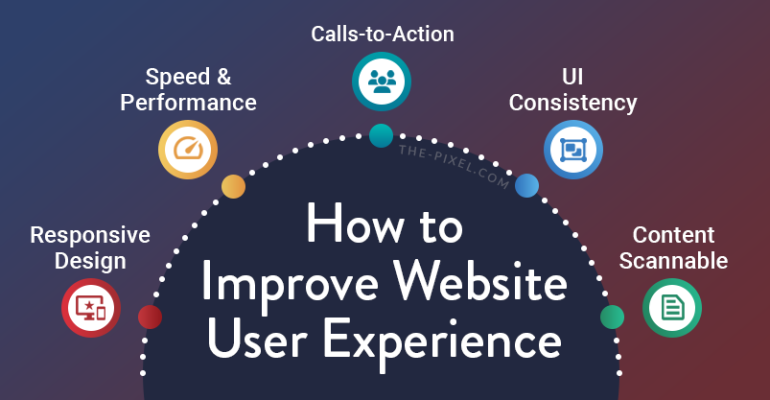
A slow website annoys users. If your pages take more than 3 seconds to load, many people will leave. Use compressed images, a good hosting server, and clean code. Tools like Google PageSpeed Insights can show what to fix.
Loading speed is critical, especially in Bangladesh where many users have slow mobile data. Even a one-second delay can lower conversions by up to 20%.
How to improve speed:
- Compress images before uploading (use tools like TinyPNG)
- Choose a good hosting company with local servers
- Minimize plugins (too many slow down your site)
- Use caching (saves website data for repeat visitors)
One Stop IT Solutions uses advanced optimization techniques so your site loads fast, even on slow internet in Bangladesh.
Practical example:
A local bakery had a website with many big images. The site loaded in 6 seconds. By compressing images and removing unused plugins, loading time dropped to 2 seconds. Online orders increased by 40%.
3. Mobile-friendly Design
Over 70% of users in Bangladesh now use mobile phones to access websites. If your site is not mobile-friendly, you lose many visitors. Make sure buttons are easy to tap, text is readable, and images look good on any screen size.
Mobile-friendliness means your site adjusts to every screen—small or big. Test your site on different phones and tablets. Use Google’s Mobile-Friendly Test to check.
Key mobile UX tips:
- Use large buttons and links (easy to tap with fingers)
- Avoid small text—use at least 16px font size
- Keep forms short
- Images should resize to fit the screen
- Avoid pop-ups that cover the whole screen
Example:
A Dhaka-based electronics shop saw mobile traffic rise from 60% to 82% after making the site mobile-first. Sales improved because users could browse and buy easily on their phones.
Non-obvious insight:
Don’t just shrink your desktop site for mobile. Sometimes, you need to hide less important sections on mobile to keep pages clear.
4. Clear Call-to-action (cta)
Tell visitors exactly what to do next—like “Contact Us,” “Get a Quote,” or “Buy Now. ” Use bold colors for CTA buttons. Place them where people can see easily, like the top and bottom of each page.
A call-to-action (CTA) is a button or link that guides users. It turns visitors into leads or customers.
Best practices:
- Use action words: “Get Started,” “Book a Free Call,” “Download Now”
- Make buttons stand out—use a bright color, but not too many colors
- Place CTAs in key spots: Homepage, service pages, end of blog articles
Example:
An education consultancy added a “Book Free Consultation” button at the top and bottom of every service page. Inquiries doubled in one month.
Non-obvious insight:
If you have many CTAs on one page, make the main one stand out. Too many buttons can confuse users.
5. Easy-to-read Content
Write in simple English. Use short sentences and paragraphs. Avoid jargon. Use headings, bullet points, and images to break up text.
Example:
Instead of: “Our organization offers top-tier solutions to synergistically maximize your ROI.”
Write: “We help your business grow with expert web and SEO services.”
How to make content readable:
- Keep paragraphs 2–4 lines
- Use clear headings for each topic
- Add bullet points for lists
- Add images or icons to explain complex ideas
Practical tip:
Use tools like Hemingway App to check if your writing is clear. Aim for Grade 6–8 reading level.
Non-obvious insight:
Add summaries or highlights at the start of long pages. Many users scan before they read.
—
Practical Tips To Improve Website Ux
Let’s see some simple, practical ways to improve your site for both local Bangladeshi and international clients.
1. Focus On Your Target Audience
Know who visits your website. For Bangladeshi clients, use easy language and local examples. For international clients, show global experience and certifications.
How to learn about your visitors:
- Use Google Analytics to see where users are from
- Ask new clients how they found you
- Check which pages are most popular
Tip:
Add a section like “Why Choose Us for Bangladesh & International Projects? ” with clear points.
Example:
A logistics company added a page in Bangla for local clients and highlighted their work with foreign partners for global visitors. This increased trust from both groups.
Non-obvious insight:
Photos and testimonials from both local and international clients help each visitor feel your business understands their needs.
2. Use Trust Signals
Show that your business is reliable. Add customer testimonials, partner logos, certifications, and awards. Display your contact number and address clearly.
Types of trust signals:
- Client reviews (with photos if possible)
- Industry awards or certificates (like ISO)
- Partnerships with known brands
- Secure payment badges for e-commerce
- Real office location on Google Maps
One Stop IT Solutions always adds these trust signals to boost client confidence.
Example:
A web design agency in Dhaka added “Trusted by 200+ companies” and real client logos on the homepage. This helped new visitors feel safe to contact them.
Non-obvious insight:
Trust signals should be visible on every page—not just the homepage. Add small badges or reviews in the footer or sidebar.
3. Add Live Chat Or Whatsapp Support
Many visitors have questions before they contact you. Add a live chat button or WhatsApp link. This helps you answer quickly and build trust.
Benefits:
- Visitors get answers fast, so they stay longer
- You can collect leads even if users don’t fill a form
- Chatbots can answer common questions 24/7
Example:
A car rental service added WhatsApp chat. Inquiries from international clients rose because they could ask questions easily, even with time differences.
Practical tip:
Reply quickly to chat messages. Delayed answers make users leave.
Non-obvious insight:
Give users a choice. Some prefer live chat, others prefer WhatsApp or email. Add more than one contact option.
4. Use High-quality Images
Low-quality or blurry images make your business look unprofessional. Use clear, relevant photos. If possible, show your team, office, and real projects.
Best practices:
- Use real photos when possible (not just stock photos)
- Optimize images for fast loading (keep file size small, but quality high)
- Add captions to explain images
- Show “before and after” if you offer improvement services
Example:
A renovation company posted real project photos with “before and after” sliders. This built more trust than just written descriptions.
Non-obvious insight:
Add “alt text” to images for better SEO and accessibility. Describe what’s in the photo for people who use screen readers.
5. Highlight Your Unique Value
What makes your business special? Fast delivery? 24/7 support? Affordable prices? Show this clearly on your homepage.
How to highlight value:
- Use a bold headline at the top (“We Deliver Websites in 7 Days”)
- List your best features with icons
- Add short customer quotes about your strengths
Example:
A cleaning service used “100% Satisfaction Guaranteed” with a customer review. This increased bookings because new clients felt safe trying their service.
Non-obvious insight:
Don’t hide your prices if they are competitive. Showing clear pricing builds trust and reduces wasted inquiries.
—

Real-world Example: Improving A Bangladeshi Business Website
Let’s say you own a garment export business in Dhaka. Your old website was slow, had confusing menus, and only showed prices in BDT. International buyers could not find product details easily.
After a redesign with One Stop IT Solutions:
- The site loaded 50% faster
- All products listed in BDT and USD
- Clear “Request Quote” button added
- Mobile version improved
- Trust badges and client reviews shown
Result: More international inquiries and higher local sales.
Detailed breakdown:
Old website problems:
- Homepage took 7 seconds to load; images were not optimized.
- Menu had too many items: “Home, About, Products, Services, Our Team, Blog, Gallery, Pricing, Contact, FAQ.”
- Product pages only listed BDT prices, confusing overseas buyers.
- No live chat or WhatsApp support.
- No client reviews or certificates shown.
Improvements made:
- Images were compressed and lazy-loaded, reducing loading time to 3 seconds.
- Menu was simplified: “Home, Products, About Us, Contact.”
- Currency switcher added for BDT and USD.
- “Request Quote” button added to each product page.
- Mobile version used bigger fonts and buttons.
- WhatsApp chat button and English/Bangla language switcher added.
- Reviews from clients in the UK, USA, and Bangladesh displayed.
- ISO certification badge and export partner logos added.
Results after three months:
- Local sales grew by 22%.
- International inquiries increased by 40%.
- Average session time doubled.
- Fewer questions about pricing and export process, because key info was easy to find.
Non-obvious insight:
The business noticed fewer support calls after the redesign. This saved staff time because the website answered most common questions.
—
How Website Ux Impacts Seo
A better user experience helps your website rank higher on Google. Here’s how:
- Lower bounce rate: People stay longer, showing Google your site is helpful
- More page views: Good UX encourages visitors to explore more pages
- Faster loading: Speed is a direct ranking factor
- Mobile-friendliness: Google boosts mobile-ready sites
Let’s go deeper:
Bounce rate and dwell time:
If visitors leave quickly, Google thinks your site isn’t useful. Good UX—like fast loading and clear content—keeps people longer. This “dwell time” is a positive signal.
Internal links:
Easy navigation and related links keep users moving through your site. This increases page views and helps Google understand your site structure.
Site speed:
Google has confirmed that loading speed affects rankings. A slow site can drop in search results. Fast sites not only rank higher but get more satisfied visitors.
Mobile-first indexing:
Since 2018, Google uses the mobile version of your site for ranking. If your mobile UX is bad, your SEO will suffer, even if your desktop site is good.
Accessibility and SEO:
Accessible sites (good color contrast, alt text, keyboard navigation) can rank better. Accessibility is part of UX and helps all users, including those with disabilities.
Practical example:
A travel agency improved mobile speed from 6 seconds to 2 seconds. Their Google ranking went from page 3 to page 1 for “Bangladesh tour packages. ”
Non-obvious insight:
Clear CTAs can increase conversions, which Google measures through “goal completions” in Analytics. Higher conversions can indirectly help SEO if Google sees users are satisfied.
So, investing in UX is also investing in SEO. As a leading web and SEO company, One Stop IT Solutions always focuses on both.
—
Common Mistakes To Avoid
Many business owners make these mistakes:
- Using too much text or too many images on one page
- Not testing the website on different devices
- Hiding contact information
- Using small fonts or bad color contrast
- Having broken links or old information
Let’s explain these mistakes:
1. Too much text or images:
Crowded pages confuse users and look unprofessional. Break up long text with headings, images, or bullet points. Don’t add images just to fill space—each one should have a purpose.
2. Not testing on different devices:
A site that looks good on your laptop may be hard to use on a phone. Always test on Android, iPhone, tablets, and desktops. Tools like BrowserStack can help you see your site on many devices.
3. Hiding contact information:
Some sites put phone numbers or emails only on the Contact page. Busy users may not look for it. Show key info in the header or footer of every page.
4. Small fonts or bad color contrast:
Fonts that are too small (below 16px) are hard to read. Low contrast (like gray text on a light background) makes reading difficult, especially for older users.
5. Broken links or old information:
Links that don’t work damage trust and SEO. Update your content often. Remove outdated info and fix broken links regularly.
Other common mistakes:
- Using pop-ups that block content, especially on mobile
- Asking for too much information in forms (users drop off if forms are long)
- Not translating key pages for local users (English-only sites may lose Bangla-speaking clients)
- Ignoring site security (no SSL certificate makes your site “Not Secure” in browsers)
Non-obvious insight:
If you use images for text (like banners), screen readers can’t read them. Always use real text for important messages.
Regularly check your site for these problems. Fix them quickly to keep visitors happy.
—
Comparison: Local Vs International User Expectations
Every market is a little different. Here’s a simple comparison:
| Feature | Bangladesh Market | International Market |
|---|---|---|
| Language | Simple English, Bangla option helpful | Fluent English, sometimes other languages |
| Payment Options | Mobile banking, cash on delivery popular | Credit card, PayPal, global gateways |
| Trust Signals | Local reviews, known brands | Global certifications, security badges |
| Mobile Usage | Very high | High but more desktop users also |
| Content | Short, direct, sometimes in Bangla | Detailed, with case studies and data |
| Support Channels | Phone, WhatsApp, Facebook Messenger | Email, live chat, sometimes phone |
| Design Style | Bright colors, big banners popular | Simple, clean, lots of white space |
| Legal Info | Less focus on privacy policy | Must have privacy, terms, cookies info |
Always think about who your main visitors are and design for them.
Practical example:
A payment gateway added bKash and Nagad for Bangladeshi users, and PayPal/Stripe for international clients. This increased both local and global conversions.
Non-obvious insight:
International users may check your privacy policy and terms before buying. Local users may focus more on reviews or seeing a local address.
—
Why Choose One Stop It Solutions For Web Development & Seo?
If you want a website that attracts and converts both Bangladeshi and international clients, you need an expert partner. Here’s why One Stop IT Solutions is the right choice:
- Trusted: Hundreds of happy clients in Bangladesh and abroad
- Affordable: Clear packages with no hidden costs
- Expert: Skilled team in web development, design, and SEO
- Local and global: We understand both markets and user needs
- Fast support: Quick help through WhatsApp, email, or phone
Our services include:
- Website design and development
- E-commerce solutions
- SEO (Search Engine Optimization)
- Speed and mobile optimization
- Content writing and digital marketing
Extra benefits:
- Free website review before starting
- Training for your staff on how to update your site
- Monthly reports on site performance and SEO
- Multi-language site options (English, Bangla, others)
- Security setup (SSL, backups, malware protection)
Case study:
A Dhaka-based education center wanted to attract students from Bangladesh and Malaysia. We built a website with separate sections for each market, in both English and Bangla, with WhatsApp and email contact options. The center doubled its foreign student enrollment in one year.
Non-obvious insight:
We don’t just build your site—we teach you how to update content, check analytics, and avoid common mistakes. This means your site stays modern and effective.
—
Steps To Start Improving Your Website Ux
Here’s what you can do right now:
- Visit your own website on your phone and computer. Is it fast and easy?
- Ask a friend or colleague to find a service or fill out your contact form. Watch where they get confused.
- Use free tools like Google PageSpeed Insights for speed and GTmetrix for technical issues.
- Contact One Stop IT Solutions for a free website review and expert advice.
Extra steps for better results:
- Write down the three main things you want visitors to do (call, buy, message). Make sure these are easy to find on your site.
- Check if your site works well in both English and Bangla, if you serve local clients.
- Update your content and images at least every six months.
- Test your contact forms—do you get the message? Is there a thank you page or email?
Non-obvious insight:
Sometimes small changes—like moving your CTA higher on the page, or making your phone number clickable—can increase leads by 10–20% with almost no cost.
—
Frequently Asked Questions
What Is The Best Way To Improve Website User Experience Quickly?
Start with the basics: speed up your site, fix broken links, and make sure your site works well on mobile devices. Add clear calls-to-action so visitors know what to do next.
Extra tip:
Sometimes removing things helps more than adding. Remove clutter and focus on your most important content.
How Does Website Ux Affect My Google Ranking?
Google rewards sites that are fast, mobile-friendly, and easy to use. If visitors stay longer and view more pages, your ranking can improve.
Extra tip:
Check your site’s “Core Web Vitals” in Google Search Console. These are real user experience signals Google uses for ranking.
Should I Focus More On Mobile Or Desktop Design?
In Bangladesh, most visitors use mobile phones. Always make your site mobile-friendly first, but don’t forget about desktop users, especially for international clients.
Extra tip:
Test every update on both mobile and desktop before going live.
Can I Improve Ux Without A Big Budget?
Yes! Small changes like better images, clear menus, and faster loading can make a big difference. Professional help can bring even better results.
Extra tip:
Start with your homepage and top 3 landing pages. Improving these will help most of your visitors.
How Can I Get Expert Help To Improve My Website?
Contact a trusted company like One Stop IT Solutions. We offer affordable packages, expert advice, and support for both local and global businesses.
Extra tip:
Ask for a demo or see case studies before choosing a web partner.
—
A great user experience is key for online success in Bangladesh and worldwide. Don’t let your website hold back your business. Let the experts at One Stop IT Solutions help you grow with a user-friendly, fast, and professional website.
Ready to upgrade your website?
👉 Website: [onestopitbd.com](https://darkblue-curlew-445621.hostingersite.com)
👉 Email: Contact@darkblue-curlew-445621.hostingersite.com
👉 Whatsapp: +8801914119584
For more tips on web usability, you can also visit Nielsen Norman Group.
Your website is your best salesperson—make sure it gives the right impression!